Klient Newsletter – November 2025

Klient Newsletter – November 2025

Klient Newsletter – November 2025

×

Signup to our Newsletter

Get the latest Klient news delivered in your inbox every month.

What’s new in Klient PSA?

It’s November 🍂
Release 50.8 is live and helps teams log time faster, adjust schedules confidently, and keep systems in sync across Salesforce, Google, and QuickBooks.
Here’s everything you need to start getting value from 50.8 today.

Product Update
Current version: 50.8

Release 50.8 focuses on smarter time capture, timeline agility, and more reliable integrations.

  • My Timesheet + Google Calendar: Connect Google Calendar and log time directly from your meetings in My Timesheet. Manage connections in the new Calendar Sync Settings panel.
  • Redesigned My Timesheet: Modern layout with color-coded daily totals and utilization pills. Green, yellow, red indicators make compliance and accuracy clear at a glance.
  • Project Transpose: Shift entire project schedules or task branches in one click. Keep relationships and dependencies intact. Transpose to a date or by days, weeks, or months. Also invocable in Flow.
  • QuickBooks Enhancements: On-demand purchase syncing, optional receipt file sync, and automatic vendor creation for a smoother, more controlled expense process.

👉 See the Release Notes


Articles & Resources

KLIENT FEATURE SPOTLIGHT

Klient PSA v50.8: Smarter Time, Seamless Schedules, Stronger Sync

Feature Spotlight: Klient PSA v50.8

A quick, skimmable rundown so your team can adopt 50.8 fast.

📖 Read the blog post  |  🎧 Listen to the audio summary  |  ❓ Explore the FAQ

FEATURED INSIGHT

TSIA Envision 2025: 4 Shifts Redefining Professional Services

Trends your delivery and revenue leaders should track going into Q1.

📖 Read the blog


Product Update Webinar

Last two live webinars of 2025!
Join us to see the newest features in action with live demos, practical tips, and Q&A.
Pick the date that works best for you:

📆 Thursday, November 6 at 11 AM ET
See Release 50.8 in action — including the new Google Calendar integration, redesigned My Timesheet, and Project Transpose.

📆 Thursday, December 11 at 11 AM ET
Get an exclusive first look at the final 2025 updates and what’s coming next in Klient PSA for the new year.

🎟️ Register Now


Klient Community

Get more from Klient and help shape what is next:

📚 Check out our eLearning courses to empower your team and accelerate adoption.
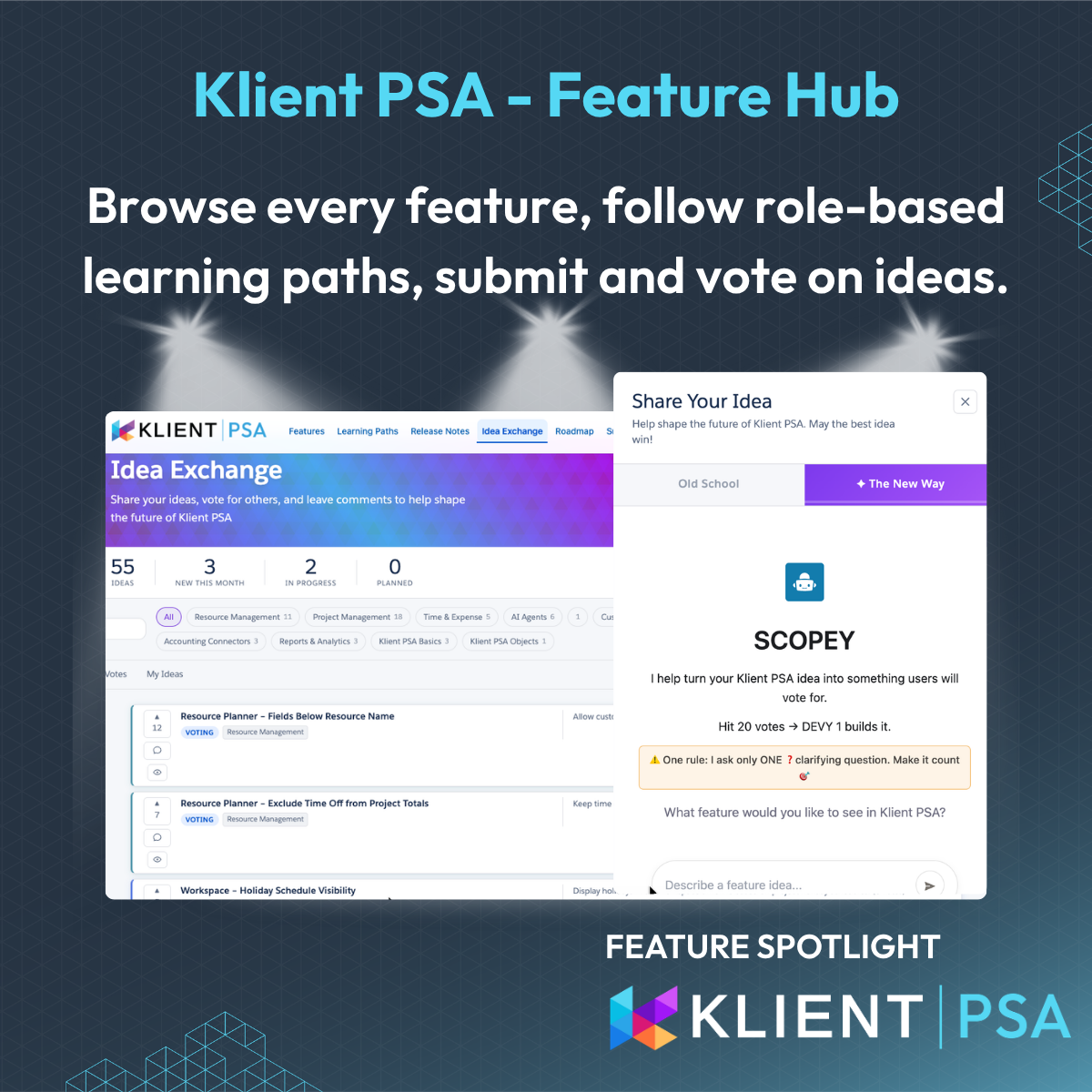
💡 Share & vote on ideas in our community
👉 Follow @KlientPSA on LinkedIn and YouTube

– The Klient Team

Klient rock in space

Replace all your tools with Klient, Salesforce #1 PSA platform

Run your entire SaaS and consulting business on a single professional service automation platform native to Salesforce!

Klient PSA 50.8: Log Time from Google Calendar & Automate Project Schedules

Klient PSA 50.8: Log Time from Google Calendar & Automate Project Schedules

Promotional graphic for Klient PSA v50.8 highlighting new features to log time from Google Calendar and automate project scheduling in Salesforce.

KLIENT FEATURE SPOTLIGHT

Klient PSA 50.8: Log Time from Google Calendar & Automate Project Schedules

Published on .

Release 50.8 introduces a smarter, more connected way to manage projects, time, and financials. This release is helping consulting firms and SaaS delivery teams save time, improve visibility, and strengthen operations on Salesforce.

📅 Log Time from Google Calendar in Salesforce

Time tracking just got easier. You can now connect Google Calendar directly to Klient PSA and log time from meetings without leaving My Timesheet.

The new Calendar Sync Settings panel lets you:

  • Add, manage, or reauthorize calendar connections.

  • Toggle which calendars are visible in Klient.

  • Instantly sync events for faster, more accurate time capture.

Benefit: Stop switching between apps. Every meeting can become a billable time entry in seconds.

Looking for earlier updates? Explore the Klient PSA feature spotlight archive.

🕓 Redesigned My Timesheet for Clearer Utilization Tracking

The redesigned My Timesheet brings a modern look, faster navigation, and built-in performance indicators.

  • Color-coded daily totals: Green / Yellow / Red for real-time compliance visibility.

  • Smarter utilization metrics that highlight if you’re meeting or missing targets.

  • Simplified inputs and interactions that match Salesforce’s modern UI.

Benefit: Instantly know where you stand on utilization, compliance, and workload all in one view.

📆 Automate Project Scheduling with Project Transpose

Managing shifting timelines is now effortless. With Project Transpose, project managers can move entire project schedules or task branches while maintaining dependencies and durations.

Choose between:

  • Transposing to a specific date, or

  • Shifting by days, weeks, or months

And because it’s available as an invocable Apex action, you can embed it in Salesforce Flow automations for instant schedule adjustments.

Benefit: Save hours of manual recalculation while keeping project plans consistent and accurate.

💰 Smarter Expense Management with QuickBooks Integration

Finance teams can now control and customize how expenses sync with QuickBooks.
Release 50.8 introduces:

  • On-demand syncing to replace webhook-based automation.

  • Configurable receipt uploads (optional).

  • Automatic vendor creation to prevent duplicates and ensure consistent data.

Benefit: Faster, cleaner, and more accurate financial reconciliation between Salesforce and QuickBooks.


Ready to See it in Action?

See it live: Register for our next live product update webinar

Request a personalized demo

VIDEO


SCREENSHOTS


AUDIO SUMMARY


Feature Spotlight Unplugged: Release 50.8

by Klient PSA

Release 50.8 FAQ

How do I log time from Google Calendar in Klient PSA?

With Klient PSA 50.8, you can now connect your Google Calendar directly to Klient and log time entries from your calendar meetings inside My Timesheet. Once connected through the new Calendar Sync Settings, your meetings automatically appear in Klient PSA — simply select a meeting and convert it into a time entry. This makes Salesforce time tracking faster and more accurate than ever.

What’s new in the redesigned My Timesheet?

The new My Timesheet introduces a modern interface with color-coded performance indicators. Each day’s logged hours are now visually marked as green, yellow, or red, helping users instantly see if they’re meeting utilization goals. This update improves both time tracking accuracy and overall user experience for professional services teams running on Salesforce.

How does Project Transpose help with project scheduling?

Project Transpose allows project managers to shift entire project schedules or task branches automatically, without breaking dependencies. You can move projects to a specific date or adjust by days, weeks, or months. It’s also available as an invocable Apex action, meaning teams can automate scheduling in Salesforce Flow for smarter, faster project governance.

What improvements were made to the QuickBooks integration?

Klient PSA 50.8 introduces major upgrades to QuickBooks synchronization, giving finance teams more control and reliability. You can now perform on-demand purchase syncs, manage receipt file uploads, and automatically create vendors in QuickBooks to avoid duplicates. These enhancements streamline expense management and ensure your Salesforce and QuickBooks data stay perfectly aligned.

Klient rock in space

Replace all your tools with Klient, Salesforce #1 PSA platform

Run your entire SaaS and consulting business on a single professional service automation platform native to Salesforce!

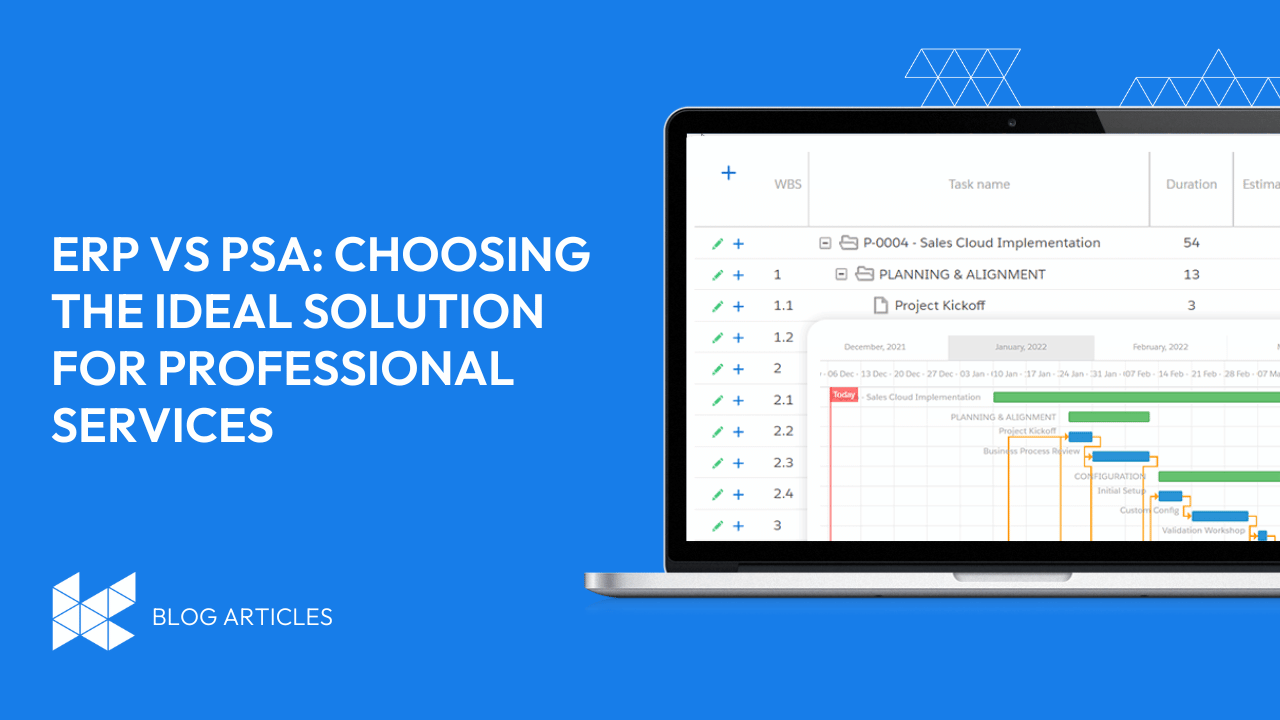
Top 10 Apps on Salesforce for Project Management (2025 Guide)

Top 10 Apps on Salesforce for Project Management (2025 Guide)

Top 8 Salesforce Project Management App

Top 10 Apps on Salesforce for Project Management (2025 Guide)

Project management is essential for any business to succeed. It includes planning, tracking, and collaborating to ensure projects are finished on time, within budget, and reach the desired goals.

Salesforce may be the world’s #1 CRM, but it doesn’t include built-in project management features. The good news? The Salesforce AppExchange offers powerful third-party tools designed to help teams manage tasks, projects, resources, budgets, and time—all within the Salesforce ecosystem.

In this guide, we’ll walk you through the top 10 project management apps on Salesforce, including PSA platforms like Klient PSA, timesheet tools, RFP automation, and resource planners tailored for growing businesses.

Book A Meeting With A Klient PSA Expert

Salesforce Doesn’t Have Built-in Project Management Capability

Salesforce is a powerful and versatile CRM platform, but it does not have built-in features for project management. To manage projects on Salesforce, organizations need to use third-party apps from Salesforce AppExchange. These apps offer a range of features and benefits that can help businesses plan, track, and execute their projects on the Salesforce platform. 

Investing in a project management app for Salesforce can bring several benefits to your sales team and overall business operations, including:

  1. Improved productivity: A project management app can help streamline tasks, prioritize work, and automate routine tasks. This, in turn, can lead to improved productivity, as team members can focus on more important work, and avoid wasting time on repetitive tasks.
  2. Better collaboration: With a project management app, team members can work collaboratively, sharing files, updates, and feedback in real-time. This can help teams work more efficiently, stay on track, and ensure that everyone is on the same page.
  3. Enhanced reporting: Project management apps for Salesforce can provide detailed insights and reports, helping managers understand project progress, identify bottlenecks, and make data-driven decisions.
  4. Increased accountability: By assigning tasks and tracking progress, a project management app can help increase accountability among team members, ensuring that everyone is held responsible for their work and meeting deadlines.
  5. Better customer relationships: By streamlining sales processes and improving collaboration, a project management app can help sales teams provide better customer service, resulting in stronger relationships with clients.

Overall, investing in a project management app for Salesforce can help improve sales team efficiency, productivity, and customer relationships, ultimately leading to increased revenue and business growth.

Third-party App Integrations for Project Management for Salesforce

Third-party app integrations on Salesforce help broaden their horizons and achieve new heights. These integrations provide additional functionality for project management. This seamless user experience allows companies to manage projects from within Salesforce, eliminating the need to switch between different platforms and ensuring data consistency across all systems.

The main difference between a built-in project management app, an ISV app, and an integrated app for Salesforce is the level of customization and functionality they offer.

  1. Built-in project management app: Salesforce offers a basic built-in project management app called “Tasks” that is included in all Salesforce licenses. This app allows users to create and assign tasks, set due dates, and track progress. However, the functionality is limited and may not meet the needs of all businesses.
  2. ISV app: Independent Software Vendor (ISV) apps are developed by third-party vendors and are available on the Salesforce AppExchange. These apps offer more advanced features and functionality than the built-in project management app, such as task dependencies, resource management, and project budget tracking. ISV apps are often customizable and can be tailored to meet the specific needs of a business.
  3. Integrated app: An integrated app for Salesforce is a custom-built app that is designed specifically for a business and is integrated with Salesforce. These apps offer the highest level of customization and functionality, as they are tailored to meet the unique needs of a business. Integrated apps can be developed by in-house developers or by third-party vendors.

In summary, the built-in project management app is a basic tool that comes with Salesforce, ISV apps offer more advanced features and functionality, and integrated apps are custom-built to meet the unique needs of a business. The choice of app will depend on the specific needs of a business and its budget.

A variety of third-party apps are available for project management on Salesforce. Each category and application comes with its own unique features, benefits, and integrations so businesses can find the best fit for their needs.

App Categories for Project Management on Salesforce

Let’s take a look at the different categories of apps available for project management on Salesforce:

PSA software on Salesforce

For professional service-based organizations, the project lifecycle can be a complex and daunting task. But it doesn’t have to be that way! Professional Services Automation (PSA) software makes managing projects, resources, time and expenses easy, while providing an effective solution to increase efficiency, productivity and profitability. 

A PSA software (Professional Services Automation) on Salesforce is a solution that helps professional services companies manage their projects, resources, and finances in a centralized system. It is designed to automate and streamline business processes, allowing companies to focus on delivering high-quality services to their clients.

PSA software on Salesforce typically includes the following features:

  1. Project management: This feature allows project managers to plan, execute, and track projects from start to finish. It includes task management, scheduling, budgeting, and resource allocation.
  2. Resource management: This feature allows companies to manage their resources, including people, equipment, and materials. It includes resource allocation, utilization tracking, and forecasting.
  3. Time and expense tracking: This feature allows employees to track their time and expenses on projects. It includes features such as timesheets, expense reports, and billing.
  4. Financial management: This feature allows companies to manage their finances, including invoicing, revenue recognition, and financial reporting.
  5. Analytics and reporting: This feature provides real-time visibility into key business metrics, such as project profitability, resource utilization, and revenue growth.

By using PSA software on Salesforce, professional services companies can improve their project management processes, optimize resource utilization, increase billing accuracy, and enhance overall business performance. PSA software on Salesforce can be customized to meet the unique needs of a business, and can be integrated with other Salesforce solutions, such as CRM and marketing automation.

Book A Custom Demo

Project Management Software on Salesforce

Project management software is essential for businesses, constituting a framework for planning, executing and tracking projects. Salesforce integrates third-party apps containing task management, project planning, budget tracking, collaboration tools and more to optimize workflows, improve communication between team members and gain better visibility of progress and issues.

A project management software on Salesforce is a solution that helps businesses manage their projects, tasks, and resources in a centralized system within the Salesforce environment. It allows teams to plan, execute, and monitor projects from start to finish, while keeping everyone on the same page and ensuring that projects are completed on time and within budget.

Project management software on Salesforce typically includes the following features:

  1. Task management: This feature allows teams to create, assign, and track tasks related to a project. It includes features such as task dependencies, priority levels, and due dates.
  2. Project planning and scheduling: This feature allows teams to create project plans and schedules, assigning tasks to team members and setting deadlines. It includes features such as Gantt charts, project timelines, and milestone tracking.
  3. Resource management: This feature allows teams to manage their resources, including people, equipment, and materials. It includes resource allocation, utilization tracking, and forecasting.
  4. Collaboration and communication: This feature allows teams to communicate and collaborate on projects in real-time. It includes features such as team messaging, file sharing, and project discussion forums.
  5. Analytics and reporting: This feature provides real-time visibility into key project metrics, such as project status, budget, and resource utilization. It includes features such as dashboards, reports, and project analytics.

Project management software on Salesforce can be customized to meet the unique needs of a business, and can be integrated with other Salesforce solutions, such as CRM and marketing automation. By using project management software on Salesforce, businesses can improve their project management processes, optimize resource utilization, increase collaboration and communication, and enhance overall business performance.

RFP Response Software on Salesforce

Look no further than the array of Request for Proposal response management software available on Salesforce to make the RFP process a breeze! These powerful tools provide a central hub for tracking, collaborating, and creating proposals and responses. 

A RFP Response software on Salesforce is a solution that helps businesses manage their Request for Proposal (RFP) responses in a centralized system within the Salesforce environment. It allows teams to manage the RFP response process from start to finish, while keeping everyone on the same page and ensuring that the response is completed on time and meets the requirements of the RFP.

RFP Response software on Salesforce typically includes the following features:

  1. Collaboration and communication: This feature allows teams to communicate and collaborate on the RFP response in real-time. It includes features such as team messaging, file sharing, and discussion forums.
  2. Proposal content management: This feature allows teams to store and manage proposal content, such as boilerplate responses and case studies. It includes features such as content libraries and version control.
  3. RFP response automation: This feature allows teams to automate the RFP response process, such as generating responses to common questions and populating proposal templates with content.
  4. Analytics and reporting: This feature provides real-time visibility into key RFP response metrics, such as response rate and win rate. It includes features such as dashboards, reports, and RFP analytics.

RFP Response software on Salesforce can be customized to meet the unique needs of a business, and can be integrated with other Salesforce solutions, such as CRM and marketing automation. By using RFP Response software on Salesforce, businesses can improve their RFP response process, increase collaboration and communication, and enhance overall business performance.

Resource Management on Salesforce

Resource management is a crucial part of project success; it’s the art of orchestrating staff, equipment, and materials in a way that ensures projects are completed on time and within budget. Salesforce’s resource management apps are the ideal tool for the job, allowing project managers to view resource availability in real-time, allocate resources to projects with ease, monitor utilization and manage schedules without breaking a sweat. 

Resource management on Salesforce refers to the process of managing resources, such as people, equipment, and materials, in a centralized system within the Salesforce environment. It allows businesses to effectively plan and allocate resources, monitor resource utilization, and optimize resource utilization to achieve business goals.

Resource management on Salesforce typically includes the following features:

  1. Resource allocation: This feature allows businesses to allocate resources to projects, tasks, and initiatives. It includes features such as resource planning, scheduling, and assigning.
  2. Resource utilization tracking: This feature allows businesses to track the utilization of their resources over time. It includes features such as utilization reports, dashboards, and analytics.
  3. Resource forecasting: This feature allows businesses to forecast future resource needs based on historical data and project demand. It includes features such as resource demand forecasting and capacity planning.
  4. Collaboration and communication: This feature allows teams to communicate and collaborate on resource management in real-time. It includes features such as team messaging, file sharing, and discussion forums.

Resource management on Salesforce can be customized to meet the unique needs of a business, and can be integrated with other Salesforce solutions, such as project management, CRM, and marketing automation. By using resource management on Salesforce, businesses can improve their resource allocation and utilization, optimize project performance, and enhance overall business performance.

Timesheet Management on Salesforce

When it comes to project management, keeping track of the time invested into each task or project is essential. To make the process more efficient in Salesforce, you can rely on timesheet management apps designed with an intuitive interface to effectively log hours worked, tasks accomplished and expenses incurred.

More Project Management Apps Worth Exploring

As you can see, there are a wealth of resources available to help teams collaborate, communicate and manage documents. But there’s more – for instance, tools like Trello or Asana that we will touch on toward the end of this article.

PSA Software on Salesforce

Klient: The Leading PSA Software app for Salesforce 

Klient is a powerful and comprehensive PSA software solution that seamlessly integrates with Salesforce. It offers an array of unique features and benefits to streamline and optimize project management. With Klient, you can monitor project progress, assign tasks, track time and expenses, allocate resources, plan projects, invoice customers – the list goes on!

Tightly integrated with Salesforce, Klient provides companies with a smooth user experience to access Salesforce’s powerful features and tools. Resource management also allows you to assign resources across multiple projects and ensure they are used efficiently while staying within budget. 

Book A Klient PSA Demo

Mission Control: A Comprehensive PSA Solution

Mission Control is an innovative cloud-based PSA solution, providing service organizations with a comprehensive range of tools to optimize their operations and projects. Equipped with AI-driven resource management capabilities, the platform can analyze resource utilization, availability, and skills so that project managers can assign resources with confidence. It also offers real-time project status updates for teams to monitor progress and identify any potential bottlenecks.

Financial tracking is made easier with Mission Control’s unified view of project financials and user-friendly budgeting, time and expense management processes. Comprehensive reporting capabilities allow users to effectively track project performance, measure key business metrics, and increase profitability.

Project Management Software

Cloud Coach: Recommended Project Management App for Salesforce

Cloud Coach is a champion of project management software, offering an impressive suite of tools to revolutionize and accelerate Salesforce-based workflows. Not only does Cloud Coach provide customizable project templates – ensuring consistency and saving time in setup – it also features advanced task management capabilities that allow users to assign duties, set deadlines, and track progress in real-time.

Moreover, Cloud Coach equips users with powerful resource management resources to allocate resources to tasks, view availability, and monitor utilization across the organization. This ensures projects are properly staffed, and resources are utilized optimally.

Inspire Planner: User-Friendly Project Management Software

Take your project management game to the next level with Inspire Planner, the intuitive and user-friendly app for Salesforce. Packed with features designed to simplify project planning and execution, this powerful tool is the perfect way to streamline workflow. 

Organize projects quickly and easily with Inspire Planner’s drag-and-drop Gantt chart. Create and update timelines in a flash – it’s so simple! Plus, get an instant overview of project progress, budgets, and resource allocation with a real-time project dashboard. Say goodbye to inefficient processes and hello to increased efficiency, better collaboration, improved visibility – all made possible by Inspire Planner’s user-friendly design.

RFP Response Software on Salesforce

Loopio: The Top RFP Response Software for Salesforce

Loopio is the ultimate cloud-based RFP response application – giving organizations the power to create, store, and share their responses with ease. Seamlessly integrating with Salesforce, it offers a streamlined process for managing RFPs.

Loopio’s impressive range of features are what make it the go-to software for Salesforce users. Unlocking a library of pre-built content templates allows users to create responses quickly, using relevant content from a comprehensive database. Plus, AI-powered technology enables natural language queries for easy searching.

Multiple users can collaborate on the same response in real time and version control helps keep track of changes – all while gaining valuable insight from real-time analytics and reporting on response status. This way, companies can spot bottlenecks and areas for improvement quicker than ever.

Qvidian: Robust RFP Management Application

Qvidian is a revolutionary RFP response management app, tailor-made for Salesforce. Its advanced automation capabilities make the entire process of responding to RFPs a breeze! 

https://www.youtube.com/watch?v=DzhUSeFAvqY

What sets Qvidian apart is its AI-powered content library that intelligently suggests the most relevant content for each RFP, as well as automated workflows and collaboration tools that enable team members to work together seamlessly. On top of that, Qvidian offers powerful reporting and analytics tools to track and improve the RFP process. 

Resource Management Software on Salesforce

Kantata: Effective Resource Management Software for Salesforce

Kantata is an innovative resource management software for Salesforce that provides companies with all the tools to take their resource management to new heights. This powerful app allows users to manage projects and resources from a single platform, allowing them to effortlessly track progress and allocate resources with precision. 

Its features make it stand out from the competition: the ability to forecast resource demand and capacity, optimize resource allocation, and automate resource planning provide users with an unparalleled level of control over their workforce.

The streamlined workflow of Kantata makes it a great option for reducing administrative overhead. 

Wrike: Popular Resource Management App

Wrike is a powerful resource management app that teams of all sizes can leverage to optimize their workflow and collaborate more effectively. Accessed from virtually any device with an internet connection, the cloud-based platform boasts a range of features to help businesses manage projects and resources efficiently. 

Featuring customizable dashboards, time tracking and budget management tools, Gantt charts, and workload management capabilities, Wrike allows users to easily keep tabs on their project status with just a glance. Its intuitive dashboards enable users to quickly identify relevant information and customize the display for their individual needs. Improved collaboration and communication between team members is also made possible with @mentions and comments, allowing remote teams to stay up-to-date with the latest project updates.

Timesheet Management on Salesforce

Time & Expense Project: A Thorough Timesheet Management Software for Salesforce

Time&Expense Project: the ultimate timesheet management software designed to help businesses manage their time and expenses with ease. This revolutionary app is integrated with powerful Salesforce objects including opportunities, cases and projects to better equip businesses with the tools they need to track project-related costs and billable hours.

Featuring a customizable timesheet interface, users can easily enter time and expenses based on different billing rates such as hourly rates or fixed project fees. Plus, Time&Expense Project also allows them to track non-billable time and expenses! Streamline your business operations with this all-in-one solution – maximizing efficiency and saving time.

TimeTracker: Seamlessly Integrated Timesheet Management Application for Salesforce

TimeTracker is the perfect timesheet management solution for Salesforce users looking to effortlessly track their expenses. With TimeTracker, users can submit timesheets based on projects, tasks, cases, or any custom object they prefer while also automating time-sheet approval workflows. The app’s expense tracking capabilities make it easy for managers to approve or reject expense claims with ease.

With this comprehensive timesheet management solution, users can create detailed time reports, analyze project performance in real-time and more – all of which can help improve project performance, boost efficiency and streamline time and expense management.

Which Project App Is Right for You?


Salesforce is more powerful when paired with the right project management solution. Whether you’re looking for a full PSA platform or lightweight task tracking, these apps help your team do more—without leaving Salesforce
.


Book A Custom Demo With Klient PSA

klient logo

You liked this Klient Tip? Share it with your team!

Klient rock in space

Replace all your tools with Klient, Salesforce #1 PSA platform

Run your entire SaaS and consulting business on a single professional service automation platform native to Salesforce!

TSIA Envision 2025 Insights: 4 Shifts Redefining Professional Services Delivery

TSIA Envision 2025 Insights: 4 Shifts Redefining Professional Services Delivery

4 shifts reshaping service delivery in 2025


TSIA Envision 2025 Insights: 4 Professional Services Delivery Trends Shaping the Future

Published on .

Each year, TSIA World Envision gathers Professional Services and SaaS leaders to explore how technology and operations are evolving.
This year, the discussion centered on one defining theme:
AI is transforming service delivery, not by automating work, but by amplifying value and outcomes.

For delivery and operations leaders, the insights from TSIA Envision 2025 reveal where the industry is heading next and how organizations can stay ahead of the curve.

1. AI-First Service Delivery Becomes the Standard

Across every session, one message was clear: AI in service delivery is no longer experimental.
Forward-thinking PS teams are rebuilding delivery models around intelligence: predictive forecasting, automated scheduling, and real-time analytics.

These capabilities are redefining how organizations manage utilization, profitability, and resource capacity.
The shift marks the rise of AI-first service delivery, where insights power proactive decisions and consistent outcomes.

2. Outcome-Based Services Redefine Success

TSIA Envision 2025 insights spotlighted a major framework evolution: the move from LAER to DARE (Define, Achieve, Realize, Expand).
This model emphasizes delivering measurable results, not just completed projects.

For Professional Services leaders, the takeaway is clear:
Success is no longer about on-time delivery, it’s about outcome-based services that prove business impact after go-live.
KPIs now track value realization, adoption, and growth, transforming how delivery teams measure success. 

3. Connected Delivery Operations Drive Clarity and Scale

The most advanced service organizations showcased how connecting delivery, finance, and resource management creates a single ecosystem of truth.

This connected approach enables:

  • Real-time margin and utilization visibility

  • Predictive risk and capacity management

  • Faster, data-driven decisions across teams

By integrating systems and processes, PS leaders gain operational clarity and scalability, a defining trend among Professional Services delivery leaders in 2025.

4. From Expertise to Intelligence

Another key insight from TSIA Envision 2025 is the rise of delivery intelligence by turning project data into continuous learning.
Every engagement creates feedback loops that enhance resourcing, risk prediction, and process optimization.

In the future, the more you deliver, the smarter your delivery organization becomes.
Service teams that operationalize this intelligence will deliver more predictable, repeatable, and profitable outcomes.

The Takeaway for Service Leaders

The 2025 landscape of Professional Services is defined by transformation:

  • AI-driven operations replacing reactive delivery

  • Outcome-based services proving tangible business value

  • Connected delivery systems breaking down silos and driving predictability

These Professional Services delivery trends from TSIA Envision 2025 make one thing clear:
Service excellence is no longer just about execution. It’s about building intelligent, connected, and outcome-focused delivery ecosystems.

Klient rock in space

Replace all your tools with Klient, Salesforce #1 PSA platform

Run your entire SaaS and consulting business on a single professional service automation platform native to Salesforce!

Klient Newsletter – October 2025

Klient Newsletter – October 2025

Klient Newsletter – October 2025

×

Signup to our Newsletter

Get the latest Klient news delivered in your inbox every month.

Klient Newsletter – October 2025

Klient Newsletter October 2025

What’s new in Klient PSA?

It’s October 🎃 👻 !!!
Release 50.7 is live and already helping teams report with clarity, track every dollar, and plan capacity with confidence.
Later this month our team will be on the road for Dreamforce and TSIA World Envision. Until then, here’s everything you need to get value from 50.7 today.

Product Update
Current version: 50.7

Release 50.7 focuses on reporting clarity, deeper financial tracking, and consistent resource planning.

  • Smarter Status Reports: Client-ready PDFs that match the on-screen preview.
  • Deeper Financials: Scheduled, logged, estimated, and remaining at every level.
  • Cleaner Planning: Standard red-yellow-green availability with reusable presets.

👉 See the Release Notes


Articles & Resources

KLIENT FEATURE SPOTLIGHT

Klient PSA v50.7: Smarter Reporting, Deeper Financials, Clearer Resourcing

A quick, skimmable rundown so your team can adopt 50.7 fast.

📓 Read the blog  |  🎧 Listen to the audio summary  |  ❓ Explore the FAQ

HOW-TO GUIDE

How to Upgrade to the Latest Version

Upgrades do not need to be stressful. Our Customer Success team created a quick step-by-step video to help you upgrade with confidence, save time, and unlock the best of Klient PSA v50.7.

🎥 Watch the How to upgrade video


🌎 Events — October is a Big Month for Klient PSA

Dreamforce 2025

Dreamforce 2025

The Klient PSA team is heading to San Francisco to connect with Salesforce partners, SaaS leaders, and consulting firms. We will explore innovation with Agentforce, automation, and AI while meeting with peers across the ecosystem. Curious what we are most excited about? Check out our latest blog post.

👉 Read more

TSIA World Envision 2025

We are proud to sponsor TSIA Envision 2025 in Las Vegas, October 20–22. If you'll be there too, come visit us at Booth #601.

TSIA Envision

Do not miss: CEO Yanick Abraham live on stage.
🎤 5 Klient-Tips on AI for SMBs and Dynamic Teams: Don’t Burst Your AI Bubble
🕐 October 21 at 12:30 PM

🎟 Use code LV25-PTRE20 for 20% off registration fees.

👉 Read more


Product Update Webinar

September Product Update Webinar Recap
Missed it live? Watch the walkthrough with demos and Q&A.

👉 Watch the recap

Register for the next live product update webinar
🗖 Thursday, November 6 at 11 AM ET. Save your spot to see the latest updates and best practices your team can put to work immediately.

🎟️ Register Now


Product Roadmap & Idea Voting

This month's winning customer ideas 🎉

  • Auto-Split Timesheets Across Calendar Months

On the roadmap and coming soon.
Benefit: no month-end rework and fewer billing errors.

2 new ideas up for voting 🕳️

  • Workspace predecessor task column (view and edit)
  • Assign additional contacts as billing recipients

GO VOTE


Klient Community

Get more from Klient and help shape what is next:

– The Klient Team

Klient rock in space

Replace all your tools with Klient, Salesforce #1 PSA platform

Run your entire SaaS and consulting business on a single professional service automation platform native to Salesforce!

September 2025 Klient PSA Product Update Webinar

September 2025 Klient PSA Product Update Webinar

Professional Services Automation (PSA) Webinar

September 2025 Klient PSA Product Update

Klient PSA Webinar

September 2025 Klient PSA Product Update

In the September 2025 Product Update Webinar, Klient CEO Yanick Abraham and Customer Success Manager Rosalie Chassat unveil the latest release — version 50.7.2 — packed with practical enhancements and forward-looking innovations.

From streamlined project reporting to AI-powered development tools, this release is all about boosting productivity for consulting firms and SaaS teams using Klient PSA on Salesforce.

Highlights from this webinar include:

  • Enhanced Project Status PDF Reports for cleaner, more flexible outputs

  • New cost and revenue fields to improve visibility into project financials

  • Actionable updates to page layout configuration in Salesforce

  • A customer-voted improvement: auto-split timesheets across calendar months

TIMESTAMPS

00:00 – Welcome & Agenda

02:07 – New Features in v50.7.2

03:10 – Project Status PDF Improvements

06:59 – New Cost & Revenue Fields

10:40 – Page Layout Tips for New Fields

12:13 – Bug Fixes & Release Summary

12:40 – Ideas Voting Update

14:26 – October Roadmap Preview

15:00 – Deep Dive: AI in Klient PSA

26:41 – Q&A and Final Thoughts

33:00 – Upcoming Events & Webinar Dates

Enjoy & register to our next professional services automation (PSA) webinar.

Rosalie Chassat: Good morning or afternoon, everyone! Welcome to our September product update webinar. Thank you for joining us today. Today we will be presenting version 50.7.2 that was released about 2 weeks ago.
Rosalie Chassat: All right. So, my name is Rosalie, I’m Customer Success Manager at Client, and I will be your host today. As always, we have Yannick, our CEO, that will be demoing some of our features and more. Hi, Yannick.
Yanick Abraham: Hey, what was that Eve?
Yanick Abraham: Thank you for pushing back this webinar. It was due for last week, but happy to be here this week.
Rosalie Chassat: Great. And we also have Isabelle that will be answering your questions in the Q&A and chat today. So, little quick slide that we always have, yeah, just how to be a great participant, just make sure you participate to the polls, we don’t have that many today, but make sure to use the React button. There’s a whole portion of the webinar during which we really want you to use the React button, so when we start talking about AI, very important.
Rosalie Chassat: So make sure you locate that on your end.
Rosalie Chassat: And of course, you can use the Q&A, for questions.
Rosalie Chassat: And I just want to launch this really quick poll that we always have. Just want to know if this is your first client webinar? Yes, no, I’m a regular. No, I’ve been to a couple. It’s the first webinar of, like, the school year type of thing, so maybe we have new faces, maybe we don’t.
Rosalie Chassat: And we do have some new faces, so welcome!
Yanick Abraham: Like that?
Rosalie Chassat: Yay! Perfect! Thank you so much for answering.
Rosalie Chassat: Okay, so what do we have on the agenda for today? First, yeah, as Yannick mentioned, we just want to apologize, because we did have to push this webinar, one week, so sorry about that. You will see also today is October 2nd, and the webinar is called September. It’s okay, just keep in mind, like, it’s about the release that was released in September, so 50.7.
Rosalie Chassat: Now, thank you for making it today. For today’s agenda, so as usual, Yannick is going to be demoing, we have, like, two new features, from 50.7.2, so it’s a smaller, release. We will also be addressing ideas voting, product roadmap, but then the bigger part of the webinar will be dedicated to AI. We’ve mentioned it in the invitations as well.
Rosalie Chassat: So, Yannick is gonna be doing us a nice presentation on AI, and of course, we want to hear from you if you have any questions, reactions, and all that fun stuff.
Rosalie Chassat: Perfect, so let’s get started. So, as always, we have this slide where we show you if there’s any upgrade consideration for the release. For this one, there’s just one, concerning enhanced cost and revenue fields that we’ll talk in a moment, but just to make sure to add them to your page layout, if you want to use them.
Rosalie Chassat: Alright, and these are the three, features we want to talk about today. I will actually just showcase the first two. The third one we’ll mention on our next webinar. So, go for it, Janik, I’m passing you the ball.
Yanick Abraham: Okay, thank you.
Yanick Abraham: So, we’re coming back to a project status report, and while we, as the first one, so we’ve announced the generation of older technology, we’re going to be talking about something exciting with AI later on, but this we’re coming back to the basic stuff with older technology, such as PDF.
Yanick Abraham: But that’s still very useful, so let’s, let’s go see how we’ve improved the, project status PDF.
Yanick Abraham: To, to,
Yanick Abraham: to go with the evolution we had recently with all the configuration you can do in project statuses, now the PDF has been, as well, embellished, and goes a lot,
Yanick Abraham: A lot better, works a lot better. Okay, so I’m in this project, I’m gonna launch a project status report. So this is the, kind of, HTML version, control the fields that you can see here, they’re all controlled, but with the new addition to the product. But when you download the PDF, or when you’re sending it to by email.
Yanick Abraham: It is generating a PDF that has now been a little bit improved, so I’m gonna do a comparison between the older PDF and the newest PDF. So, I have this old project status report, so some of the things that you can note is that the font has been updated. There was blue fonts everywhere, so for visibility, we’ve put it black.
Yanick Abraham: some of these sections and the tables, you will see, and tables, I have some questions for you, so please do react, like Rosalie mentioned. This one is really a table, and… but the table, they cause problems when you have long fields and description fields, like you can see here.
Yanick Abraham: And when you’re putting images, we had problem resizing images in those rich text areas, so those are the main things that we’ve improved in the newest version.
Yanick Abraham: So, as you can see, the font has been changed, images resized perfectly, and now we have, the tables have been replaced at this point by fields with their label on top for every one of them. This means…
Yanick Abraham: you’re not limited in the number of columns you can add, and you’re not limited in terms of what type of field it is, so when it’s a rich text area, like the issue details and resolution, it’s going to be broken down in separate lines, so it’s not going to clog one specific column. And also, when you’re going to put images, it’s going to just resize the image perfectly, and this way, visibility is going to be a lot better.
Yanick Abraham: My question to you is that,
Yanick Abraham: looking back at that older version of PDF, I still love… I’m not sure if love is a good word, I saw the art coming up, so maybe that’s why I said love, but I like the fact that sometimes it’s a grid, and it works well when it’s a grid with just rows and columns, when you don’t have a description field, for example, as soon as you have text. So, should maybe we introduce something, like, if it’s less than 7 columns, because if you have too many
Yanick Abraham: column as well, it’s gonna… it’s gonna break. Less than 7 columns, and no description, then put it as a table.
Yanick Abraham: Otherwise, put it as we have it now in the new version, with the label and the text behind. So, not sure, this is not an official poll, I didn’t prompt you, but maybe thumbs up, thumbs down, in terms of having it as a table, or do you like this version of it? So, thumbs up, do we need a table?
Yanick Abraham: Let me see you.
Yanick Abraham: Only, only one so far, so no, no, no, no need for the table at this point. Perfect, so I’ll put this on the…
Rosalie Chassat: I know some people that were not using the project status report yet, and we’ve made some developments, maybe they’re starting to use it, and eventually they will get to this, but…
Yanick Abraham: Yeah, we’ll come back to it and see usage, but this could be an option, so I’ll put it a little bit on the back burner, but it’s definitely an option in terms of what we can generate in terms of project statuses. Okay, so coming back to the deck, yeah.
Yanick Abraham: The next improvement, it’s about cost and revenue fields, so we’ve introduced a bunch of new fields in this release, some for consistency, some for adding some depth into what you can report on.
Yanick Abraham: A lot of those fields, most probably, you’ve created yourself as a custom field at some point, so that’s why it was not high in priority, because you can always do… add those fields. This being said, now we’ve introduced a bunch. So, Rosalie highlighted a few of those here. For example, on the task assignment, we have estimated hours, estimate cost, estimate revenue that are rolled up, with the percentage hour spent. That’s one of our
Yanick Abraham: feels that one of our customers added and told her about our formula of hours spent on a task, we’ve introduced that. On the project, open task, completed tasks, so it’s just kind of counters.
Yanick Abraham: And, for presenting that feature, I was thinking of just showing you the release note, because I think the team did a great job of showing the, what has been improved. So first.
Yanick Abraham: In the release note, you can see that you have all the different fields that have been added with the description, and even the formula, for those that are formula fields.
Yanick Abraham: So we have on-task assignment, on-task, and on-project, so please go look… take a look at that, release notes.
Yanick Abraham: But also, we’ve identified and showed them across some page layouts, and I’ll show you in a second how you can easily change and adapt your page layout. But for example, here you have scheduled revenue and cost, so with all the revenue at completion, cost at completion, remaining scheduled revenue, remaining scheduled cost, so the concept of remaining.
Yanick Abraham: Has been, also, reintroduced, so this is on the project.
Yanick Abraham: On the task itself, we have, for example, that hour spent that we were talking about, but also all the revenue and cost field that have been introduced, and for those that were missing, some set log costs that just been added as well.
Yanick Abraham: The upgrade consideration you’ve mentioned, Ozadi, it’s really that you should be adding those into your page layout, so we can take a second just to show the two different ways there is to add to page layout.
Yanick Abraham: If it makes sense with you.
Rosalie Chassat: Yeah, and we just got a question from the chat that I can maybe mention. Someone is asking for, the spreadsheet form of,
Rosalie Chassat: that spreadsheet, I think this is a screenshot we have in the release.
Yanick Abraham: Nothing?
Rosalie Chassat: We probably have that spreadsheet that we can send as a follow-up in the follow-up email.
Rosalie Chassat: Yep.
Yanick Abraham: Okay, so two ways that you can easily change page layout. So, you can either go edit object, this was the old way, and edit the main page layout, and for example, for us, the main page layout, we have it here on the detail page. This is where we added some of those fields, so this will show all the pages, but Salesforce has introduced
Yanick Abraham: A few years ago, the concept of page, so if you just do edit page.
Yanick Abraham: It’s gonna bring you to that builder, if you have the credentials to do so, for sure. But you’re gonna see that now you can easily create sections
Yanick Abraham: key field section, so if I click here on the fields tab, and I take field section, I can easily drop new field section, and then I can drop some of those new fields that we’ve added. Because on existing environment, we cannot change, and we don’t want to mess up your page layout.
Yanick Abraham: So that’s why those new fields, they are not going to be added by default into your, into your pages, so you will need to do either changing the main page layout or going in here and adding fields on your page yourself, so…
Yanick Abraham: This is the, upgrade consideration.
Rosalie Chassat: We also had a question, Yannick, if we’re able to change the field labels, for those.
Rosalie Chassat: Or not.
Yanick Abraham: Changing the field labels. If you want to, go on top of our field labels, the, the best way is using the translation workbench, or to be… to kind of rename some of those labels, so you can always change labels, but our fields labels,
Yanick Abraham: They’re part of the, they’re like any other fields that we have in trained.
Rosalie Chassat: Right?
Rosalie Chassat: Okay.
Rosalie Chassat: So, I think we’re on our next, yeah, next section.
Yanick Abraham: Sorry?
Rosalie Chassat: Perfect, we’re… yeah, perfect, okay.
Yanick Abraham: You’re back.
Rosalie Chassat: improvement. We only have a couple as well, and those are mostly fixes, so if any of those spark interest or ring a bell to you, I just invite you to click on the link and then… or go see our release notes and read more about it, but it’s pretty straightforward, so we won’t be showcasing any of those.
Rosalie Chassat: And so let’s head into ideas voting, our next slide.
Rosalie Chassat: Yeah, perfect. Ideas voting. Okay, so for this month, oops, sorry, for this month, we actually retained an idea, for development, so you can see from, our community, we have 25 ideas or so, we had 25 or so. The number one that got the most rating was the auto-split timesheet across calendar months. It got, like, lots of votes, so we’re finally gonna be developing it, so it’s been picked.
Rosalie Chassat: So, yay for everyone that voted for it. I don’t know if anyone on the webinar had voted for that idea. You can send a little emoji or a little reaction if you did. Essentially, it would be to be splitting, generating two timesheets instead of one if you…
Rosalie Chassat: have a work week that spans across two calendar months. Hopefully, it’s going to help you for not having to do so much manual adjustment and get more accurate reporting.
Rosalie Chassat: So this should be developed by the end of the year. We don’t have a set date on it, but keep an eye on our roadmap. We should be adding it very soon.
Rosalie Chassat: And as a reminder, if you want to vote for any of our ideas, you just head over to the ideas tab in our community, and then you can just click the thumbs up. We did do a little cleanup, so the ideas that didn’t get so many votes, since we started this initiative, we just removed them, so we now have a total of 20 ideas, and I expect in the next month we should be adding some more for you to vote on, so keep it up.
Yanick Abraham: Absolutely, yeah.
Yanick Abraham: Keep submitting ideas, there’s a lot of cool stuff that you guys recommend that we are putting on a platform, and as you will see with the AI part, we’re going faster than ever, so a lot of your ideas can make it.
Rosalie Chassat: Yep.
Rosalie Chassat: All right, so for our roadmap, our next version should be released, in October, on October 22nd-ish. So that would be version 50.8.
Rosalie Chassat: And you can see we highlighted what should be coming up in that release, so we’re gonna be some… doing some… it’s nothing new, I think we’ve all mentioned these things, in the past, but they’re actually happening in a couple of weeks. So yeah, optimization on the QuickBooks site.
Rosalie Chassat: The client Jira app that I think Yannick’s gonna mention some more on later. My timesheet, Google, integration, so we’ve mentioned that on our last webinar as well, that we had released,
Rosalie Chassat: Duh.
Rosalie Chassat: Was it the… the other one
Rosalie Chassat: I have a blank, but yeah. And we have the auto-shift task on project start date and update, that’s actually an idea that got a lot of votes that we’re finally gonna put into action, so we call it Project Transpose. So I think that’s a very popular one that people are waiting for. And then in the workspace.
Rosalie Chassat: It’s been a little while since we added new stuff, but, mass update fields, in the grid, we’ve mentioned that in the past.
Rosalie Chassat: So, yeah.
Yanick Abraham: A lot of things coming up in October.
Rosalie Chassat: Yeah, we have a… sorry, what?
Yanick Abraham: A lot of things coming up in October.
Rosalie Chassat: Yeah, yeah, and we’ll mention this at the end, but we’ll be presenting those, actually, in November webinar, so, yeah. Alright.
Rosalie Chassat: I think that’s pretty much it for 50.7, so short and sweet. And let’s dive into AI, Yannick.
Yanick Abraham: Yeah, and I call it the AI bubble.
Rosalie Chassat: AI bubble.
Yanick Abraham: Oh, and I thought we’d be doing something a bit different today. We are going to a trade show called,
Yanick Abraham: Just give me a sec so I can set up them.
Yanick Abraham: Trying to connect.
Rosalie Chassat: And this is the part you can get ready on the React buttons and, like, start reacting as we go. From now on, if you haven’t yet.
Yanick Abraham: Not sure why I’m not able to connect to my deck here.
Yanick Abraham: Bizarre.
Rosalie Chassat: We can see it like that as well.
Yanick Abraham: Yeah, I cannot put it in full screen.
Rosalie Chassat: All right, if you can think in the meantime of any AI-related question you’d like to ask Yannick, feel free to send them in the chat. We will be going through the little presentation at the beginning, but for sure we’ll address them towards the end, so if you can think of anything that you’re really curious about.
Rosalie Chassat: Feel free to add them, and you can add them in the chat, or you can send them as Q&A as well.
Rosalie Chassat: Whatever you prefer.
Yanick Abraham: If I can present, seriously, the first time it happens, my Google slide deck doesn’t open.
Yanick Abraham: Let’s start crawling, though.
Yanick Abraham: Huh.
Yanick Abraham: Doesn’t work well presenting an AI rulemap without an AI deck.
Yanick Abraham: Nice, I’ll send you the… Here we go.
Yanick Abraham: Finally.
Yanick Abraham: Woof!
Yanick Abraham: Wow. Can you still hear me? Can you still see my deck?
Rosalie Chassat: Yeah.
Yanick Abraham: Better be worth it, Yannick. Yeah, I know. Very sorry about this.
Yanick Abraham: Let’s edit it. It’s not a good start to a technology advance like AI without being able to show a deck.
Yanick Abraham: So, okay, we’re presenting at the SIA World, it’s an event for professional service firms. The event is going to be called Don’t Burst Your AI Bubble, and it’s client… five client tips we want to present to help get you started on AI. And I thought it would suit it because it talks about, what we’ve been doing at Client with AI.
Yanick Abraham: And on the 28th of August, in our all-hands, with the team, I’ve declared to the team that we are all-in on AI. So this is what’s really the word I’ve used, so… and it was because a few days before, I kind of had an aha moment using cloud code on one of my pet projects, and this made me rethink everything, and that’s when I went all-in.
Yanick Abraham: And, but…
Yanick Abraham: It’s not my first aha moment I had in AI either. Like, my first AI moment was… aha moment in AI was in 2001 in university. I was building a robot, a forklift, autonomous forklift, that would not enter the walls based on fuzzy logic and performance obscination with generic algorithm. And what stunned me when I found back my picture is that we were still calling it
Yanick Abraham: agent in 2001, so… but this AI aha moment that we have now feels a lot different than the one in 2001, because this one, it’s a lot more real, it’s a lot more actionable, and it’s a lot more accessible, so it makes everything
Yanick Abraham: can now… and what does it mean? It means that pretty much everything can now change. I was debating should I just use everything
Yanick Abraham: Could change, can change, will change.
Yanick Abraham: But things are changing, and they’re changing fast. So we have people like Marvin Yaff, frontrunner in the AI space, that’s saying that 50% of his work at Salesforce is now done by agent. So it does change our industry totally.
Yanick Abraham: But on the same week, on Forbes and Gartner, they’re saying that in 2027,
Yanick Abraham: 40% of the AI Agiant project will be canceled, so we need to be careful where we invest. And on top, the same way as well, Sam Atman, the founder of ChatGPT OpenAI, says that we should not trust the technology. So…
Yanick Abraham: It’s kind of also time to do a kind of a bit of reality check, so our moment is great, so I’ll have some time to…
Yanick Abraham: temper myself, but let’s do kind of a quick reality check. So, AI is good to understand natural language. We all use it to write email, to talk with it, to get trip advisory, so we can summarize data and suggest actions. In the business world, it changed everything we do with communication.
Yanick Abraham: It also generates code, like development, software, and content, so it’s great at that. This being said, it still makes mistakes, you still need to unhold it, and you need to do automation.
Yanick Abraham: And it’s not magic. AI is not magic yet.
Yanick Abraham: And yes, it is a bubble, and yes, the bubble will probably burst, but the technology is absolutely there to stay. So, we need to be using it, we need to start, be really involved in it, and evolve with it. So, where to start? So this is where we’re coming in with our
Yanick Abraham: client tips to get you started with AI, so you… and I’m going to present this as a… kind of the details of it, but then an example of what we’ve been doing at Plion. So, first.
Yanick Abraham: you should be doing proof of concept. So we should be doing a POC, and a good POC, it’s really defined by picking a good team.
Yanick Abraham: identifying an idea, and then, in this case, using AI to execute this idea. What does it mean? So, for example, for a development team, a software development team, it could be develop a new feature, a new functionality with cloud code.
Yanick Abraham: For the customer, the support, team, it could be answer cases, automatically, with… on support with Agent Force, the Salesforce,
Yanick Abraham: agent that can do a service request, or maybe in customer success, all those meeting notes and action plans should be leveraged with Gemini and Copilot, so it’s really defining one good idea, concept, and really go into it and going with it. And at Klein, what we did is that we’ve picked a team, our development team, it’s core for us.
Yanick Abraham: And what we’ve picked is an idea. While we advocate for all our customers to run their entire business on clients, some customers still use Jira. I sometimes use the term occult when I’m talking to Jira, so it’s very difficult to get people out of it, and sometimes some development teams, so…
Yanick Abraham: Instead of fighting it, we decided to have an app in Jira, being able to log time in client.
Yanick Abraham: On a task. So, and we decided to use, cloud code and doing pure vibe coding, so it’s not writing line of codes anymore, it’s prompting the system to write code.
Yanick Abraham: And what was that you?
Yanick Abraham: It’s been an amazing…
Yanick Abraham: proof of concept, because… and it’s not been just a proof of concept, we even have a final releasable product that we’re gonna be able to sell, meaning that we have a new revenue stream that’s been built
Yanick Abraham: within 2 weeks, because it took us 2 weeks to develop this, in an environment that we didn’t know, Jira, it’s called Forge, the development language, we didn’t even know about it, using a tool that we’ve only first used, like, intensively for the first time, Cloud Code.
Yanick Abraham: All this within 2 weeks.
Yanick Abraham: And now what’s even better, and we’re gonna talk about it later, but it’s that the AI used us for requirement writing. It’s been used by… to develop the entire tools, but now also we’re using it for release notes.
Yanick Abraham: for the L Particle. And this morning, Laura validated, but we have now even our marketing client feature spotlight.
Yanick Abraham: being written automatically as well with Cloud Code, meaning that
Yanick Abraham: It changed everything in terms of software development. So, very exciting.
Rosalie Chassat: And in January, we won’t even be on the webinars, it’s all gonna be…
Yanick Abraham: That’s its point four, are you going too fast?
Yanick Abraham: Okay, so the first client tips is pick a proof of concept, pick a team, identify an idea, use AI to execute, but also share the knowledge. We’re all new in this, we’re all learning, like, I’m writing this, and maybe it’s obvious for everyone, but I thought we’re all learning about AI and what it can do, so we should be meeting, we should be talking about it, we should be hosting Lunch and Learn, we’re doing this internally, but I’m even thinking of doing it with
Yanick Abraham: some of you guys, business owners and leaders and people that want to make their team progress so we can talk about it. So share the knowledge is very important.
Yanick Abraham: Okay? Point number two.
Yanick Abraham: data, and this is key, we are… we all hear about it, like, you cannot do anything if you don’t have clean data. In the past, I was saying BI, business intelligence, before AI, so cleaning the data.
Yanick Abraham: Now I call it Get Your Data Straight, so it’s really aligning your data, and before we talk about specific example of data, let’s look at what a LLM prime, like what we’re using now in LLM, so it’s not the fuzzy logic and genetic algorithm, the LLM didn’t exist in 2001, so now it’s really about large language model that you’re going to be using. And there’s four main things, if we
Yanick Abraham: We really dumb it down. There’s the prompt that we all know, so things that we ask.
Yanick Abraham: But in the back, there’s also a set of instructions. Sometimes we put the instruction in the prompt, saying, like, write in a funny tone, or write in a confident way, or don’t use that term, but instruction can be built in, so every time it answers, it’s gonna look at those instructions before answering. So, there’s the prompt, the instruction.
Yanick Abraham: And then there is the grounding, so the… sometimes it’s called knowledge, but knowledge is more on the model itself, so grounding, it’s more like the content… for example, L particle. If you want to write a support agent, all the L particles would be grounding material, so you can base itself on accurate data of your business.
Yanick Abraham: And then you have the data, which kind of colossal states, so it’s really, like, the project statuses that you might have, the case that are coming in with the case subject, and the case description, and the screenshot, and the activity story, so those would be the data itself. So, you need to have your data, get your data straight if you want to be able to benefit from, from AI.
Yanick Abraham: What you should be doing to get this correctly is that you should write
Yanick Abraham: prompt, so write a few conversation starter, this is all it’s called, so build your own AI agent, we’re gonna talk about it after, but you’re gonna need to write some few conversation starter. You need to define your tone and your guiding principle in your instruction. For this, you can ask ChatGPT to help you build that
Yanick Abraham: instruction, so you can use AI everywhere. Then provide the grounding knowledge, and eventually connect everything with your data so you can benefit from it. Okay, so get your data straight is the second point.
Yanick Abraham: At the end, we’re going to be talking about the product agents that we have, so, and the roadmap and the pieces, and we’re going to be using a lot of agents, and this is what I want to talk in the client set number 3. You should be doing a lot of agents, and it’s a lot of agents that I think should be built, and it’s not only one agent, so…
Yanick Abraham: And I don’t know if you saw the Matrix movie when the agent Smith is asking for more of himself to try to fight Neo, but more… this is pretty much the thinking on that front, for us at least, is that you have several agents that will be doing your job, so you need to create a lot of agents.
Yanick Abraham: You need to use your agent, so monitor who’s using it, monitor the usage, monitor if it’s doing good results or not. Do lunch and learn to make sure that we always evolve.
Yanick Abraham: And this way, then, you can improve your agent, and how you improve them, it’s with the data we just talked about. So, your data, your grounding, your instruction, your conversation starter, all this you need to refine and refine and refine to get proper results.
Yanick Abraham: And the way I see it is that now you can do pretty much everything. On the software side, at least, creativity is the only limit.
Yanick Abraham: You can get…
Yanick Abraham: very complex software done in a short amount of time, so I do believe that it’s the era of creativity. And I just want to get you through three of the agents that we are involved in at Client. So, the first one, as you were mentioning, Rosalie, that maybe the next webinar, we will have our clones.
Yanick Abraham: But I’m trying to have my clone.
Yanick Abraham: And it’s MyGPT, so in ChatGPT, I’m not sure if it’s on the Pro version, but you can create your MyGPT,
Yanick Abraham: And by creating your GPT, I’ve tried to create my Yannick clone, so in French, it’s intelligence artificial, instead of AI, it’s IA. So, this is my clone agent that’s supposed to be a subject matter expert to answer all questions related to client, and I want to use this to
Yanick Abraham: my conversation starter, answer RFPs, for example, or write a LinkedIn post more direct, or summarize some business benefits on a sales deck, so that’s why that agent Yannick has been created. And when you create your own ChatGPT, you set it, the default value, I’ve told you, so the instruction.
Yanick Abraham: conversation starter, and then you can upload some knowledge or some grounding with PDF document in this case. Sometime with Salesforce, it’s gonna be linked directly to your database, and in this case, the only data is that capability is the web search, but there’s no data source linked to it. But, yeah, this is my… another pet project that I have, building my agent, Yannick, and we’re using it, myself and marketing, and with Lara to
Yanick Abraham: get our messaging out and being on point in terms of how we should present the tools and everything. So all, pretty much, our conversation goes through that agent before coming out of our LinkedIn posts or our different communication channel.
Yanick Abraham: I said agent with an S, right? So my other agent that I’m using on my pet project and the entire team do have that, the development team, we all have our coding agent.
Yanick Abraham: And now, at this point, we have separate coding agents that we improve ourselves, but the idea is to, like, help us grow, and that, for example, with our coding agent, you can have it embedded in Visual Studio Code, so you talk to him, it gives you a plan, and then it does the development, and you can create things very complex and very…
Yanick Abraham: little amount of time, I’m talking about seconds, to include the graph engine, and to include… so…
Yanick Abraham: coding, my coding agent, you should explore what you can do for the Salesforce crowd and the people here, our customer, you can even develop Salesforce flow with it. So you tell them what you want, and instead of doing point-and-click, Claude or the other engine will develop this for you, so you don’t even have to do the point-and-click, you can just talk to it.
Yanick Abraham: Very exciting part. And now for what we’re gonna be releasing to you, our customer, very shortly, will be our support agent. So, really, a live chat agent based on the agent force of Salesforce that’s going to be able to answer a question about client.
Yanick Abraham: An example, a prompt, for example, would be how to create an approval process of invoices, or I’m having difficulty doing something, and then, that engine force is going to answer you.
Yanick Abraham: An example of instruction for this agent, so use a helpful and clear tone, step-by-step instruction, if they’re prerequisite.
Yanick Abraham: Only use official product functionality, no guessing. So this is the kind of text you have in an instruction. Grounding will be the FAQ, the release notes.
Yanick Abraham: And the data in this case, because it’s a case object, the account information to see which subscription, how many licenses, do we have access to the module invoice or not, so it’s gonna depend. If they have access, I’m gonna tell them a different answer, and they can even look into the case history. So, this is also an agent we’re gonna be releasing soon. We are already using it internally, but now we will be releasing it to our customer, through our customer community.
Yanick Abraham: And, A few, weeks.
Yanick Abraham: Unleash your creativity.
Yanick Abraham: Now, there’s another one, automate, I’m gonna skip it for now, but it’s all you do, the link in between, and it’s called action, so the action that your agent are doing, so we can spend more time talking about the client PSA agents.
Yanick Abraham: So, this is where I want to talk about what we can do in the platform, so… and what you should be looking for as well with your different tools. So, you should not be reinventing the wheels.
Yanick Abraham: And your tools should… your existing tools should incorporate AI agents. And like I said with… like I’ve shown you with Salesforce, we already have a great platform if you want to build some custom stuff, or some service cloud
Yanick Abraham: action directly from there. But now, also, client will come with its own client PSA agents.
Yanick Abraham: And this is the different area that we will be targeting in the next months, okay? So, we’re gonna be talking about a project agent, a resource agent.
Yanick Abraham: time agent, an estimate agent, billing, and customer agent. So this is the area where we’re developing agent.
Yanick Abraham: And in terms of what it should be doing, and I’m not sure for you, Rosalie, but I’m getting, like, nausea looking at that screen, so I’m just gonna switch everything in white.
Yanick Abraham: Color was going… getting me crazy. So, that kind of conversation we have with all of those agents would be something like for a project agent.
Yanick Abraham: what are my most at-risk projects, or what’s my next priority? Or send my project status, or tell me the project status. So this is the kind of conversation that you might have with a project agent, and…
Yanick Abraham: I can let you read it, you’re gonna read it faster than I’m gonna tell you all those lines, but the idea is that what you want to ask yourself?
Yanick Abraham: So, I’m asking you, our customer, so what would be the question you want to answer? So, I’m not sure if Marjorie is on the call, but Marjorie, there’s a few answers already in the deck. You’ve asked if we should have, like, that support agent we’ve talked about, so this is going to be really soon.
Yanick Abraham: The project agent to see if it’s at risk, the resource agent to identify skills or the best resource for this project. So…
Yanick Abraham: This is what we’re going with, but I’m curious to see if there are something specific, and because we cannot develop everything at once.
Yanick Abraham: which one should we start with? I was very exciting about doing a fill my timesheet for me, so that I never have to do a timesheet ever again. But, again, maybe more project statuses.
Yanick Abraham: discussions for… and Tani or Rosalie, if we have any posts, or if any questions showing up.
Yanick Abraham: But at this point…
Rosalie Chassat: There was one, yeah, someone was asking if, there would be any course or assisted training if they’re interested in knowing more.
Rosalie Chassat: becoming more expert with agents. I think as we develop those, probably we’ll get into that, right?
Yanick Abraham: Yeah, and there’s a different aspect, because you don’t have those agents in the product yet.
Yanick Abraham: But you’re still benefiting from everything AI-related we do at Client, and that’s why also I presented this, so we developed features faster, we are supporting you better, and now we’re gonna integrate those things. And what I was saying at the beginning, like, AI, it’s not magic.
Yanick Abraham: It’s also… there’s a lot of things that, give me the product at… project at risk.
Yanick Abraham: you can already see with the project at risk, with the proper list view, with the proper remaining hours versus budget, and you will be good with this. It’s just now AI is introducing a new way to talk, and to… it’s kind of a new UI, it’s a new interface, so you can ask.
Yanick Abraham: So, this is where it’s not magic, and it will do things, it will do action, but now it’s really good for, like I said at the beginning, do a summary of content, and generating some content, but the actions still need to be developed.
Yanick Abraham: Yourself,
Rosalie Chassat: No.
Rosalie Chassat: Yeah, we’re curious to know if there’s any of, like, if you have other questions you’d like to ask the agent, but also from all those ones, like, Yannick, you mentioned, like, the one you’re really into is, like, fill my timesheet for me. There’s so many of those, so it’s also helpful for us to know, like, if one of them, you’re like, oh, which invoice are overdue? That’s, like, my most important. It’s good for us to know that this is most important for you, and there may be another way you can still get that information until we have the agent.
Rosalie Chassat: So…
Yanick Abraham: So, what I’m thinking we’re gonna do as that, we’re gonna take those, the feedback we have, and, also populate those as ideas.
Yanick Abraham: On the idea exchange, and then have them voting on the idea exchange, so, all those agents, and perhaps we can tweak some of those conversation starters, or the different texts, but let’s have them voted on the idea exchange.
Yanick Abraham: So this way, we can get more of your feedback. But this is where we’re going, and it will be released within the next few months. You should see the first agent coming out.
Yanick Abraham: There is always the question of licensing and the question of the architecture of it, that we’re gonna bring back more information in the next few…
Yanick Abraham: Weeks.
Yanick Abraham: Good! So this is it.
Yanick Abraham: Let’s gone back to your, the original deck, over the video.
Rosalie Chassat: Yeah, so we’re heading to our conclusion, so just a couple more minutes, and then we’re done. First of all, one thing, we wanted to mention,
Rosalie Chassat: Officially, you can now register to the last two webinars of the year, so we just added them to our website, and they’re now available for registration. So, our next webinar is going to be on November 6th.
Rosalie Chassat: So, I know usually we did it at the end of the month, but we’re changing things up a little bit, because we were kind of in between two cycles on the development side, so now we’re kind of realigning things.
Rosalie Chassat: So next webinar, November 6th. I added the links here, and I think, yeah, Isabelle just added them on the chat. So, November 6th, and then after that, it’s gonna be December 11th. And then that’s gonna conclude the year, and then in 2026, we’ll have robots doing the one. No, that’s not true, but then we’ll come back with the dates, later, this year for next year.
Rosalie Chassat: Second thing that, Yannick, you’ve been mentioning as well,
Rosalie Chassat: and you may have heard from on our different communication channels, but we will be attending two events in October, so the client team. The first one we will be attending is Dreamforce in San Francisco.
Rosalie Chassat: From October 14 to 16. Yay! So, Yannick, myself, and Stephanie are gonna be there. And then the team is going to be heading over to TSIA. Like Yannick mentioned, he’s gonna be doing the talk about, AI, and then we’ll have more people on the team, so Yannick, Stephanie, Ariane, Laura, and so what we want to know, I’m just gonna do a quick poll.
Rosalie Chassat: Yeah, just out of curiosity, is anyone, like, you’re attending the webinar today, but you or someone from your team, anyone joining, any of these events? So if you’re joining Dreamforce, TSIA, nobody’s joining, or you have no idea what we’re talking about, so just let us know in the, in the poll, we’re curious to know.
Rosalie Chassat: And of course, if you are attending, we’d love to meet up.
Rosalie Chassat: And then the last thing I wanted to mention,
Rosalie Chassat: as a little parenthesis, I’ve been on maternity leave for a little while, but I will be back in November, in my Customer Success Manager function, so I really look forward to seeing you every webinar, but also, connecting back on our quarterly check-ins.
Rosalie Chassat: So I’ll be back the first week of November. And finally, as always, we will be sending a follow-up email. There’s a couple of things I took note, that, people were asking about that we’ll just recap, in that follow-up email. And then, before you leave, please just make sure you fill in our little survey, webinar survey.
Rosalie Chassat: So…
Rosalie Chassat: I’ve just put it on right now. All right, so thank you very much, Yannick, I don’t know if you had anything else you wanted to add?
Yanick Abraham: Well, thank you very much. Thanks for the deal. Looking forward to be on the road with you at Dreamforce and TSIA.
Rosalie Chassat: Perfect. Have a great rest of your day, everyone.
Yanick Abraham: Thank you, everyone, thank you for being here.
Rosalie Chassat: Bye.

OUR HOSTS

Yanick Abraham

CEO – Klient
Customer success

Rosalie Chassat

Customer Success – Klient

DOCUMENTATIONS

Klient rock in space

Replace all your tools with Klient, Salesforce #1 PSA platform

Run your entire SaaS and consulting business on a single professional service automation platform native to Salesforce!

Klient PSA at TSIA ENVISION 2025

Klient PSA at TSIA ENVISION 2025

Klient PSA at TSIA Envision 2025


Klient PSA at TSIA Envision 2025 | Booth #601 + AI Session

Published on .

This October, professional services and SaaS leaders will gather in Las Vegas for TSIA Envision 2025, a conference known for sparking ideas that move the industry forward. Klient PSA is proud to sponsor this year’s event and we’re excited to be part of the conversation on how firms can scale profitably, deliver consistently, and embrace the right innovations at the right time.

You can find us at Booth #601 throughout the event — and join our CEO, Yanick Abraham, for a theater session on how AI is reshaping service delivery.

Why AI Will Be Front and Center at TSIA Envision

Every consulting and SaaS leader today is asking the same question: what does AI really mean for my business?

The reality is that AI can accelerate your operations — or it can drain months of effort without impact. The difference comes down to where you start, the data you trust, and how your teams adopt it.

At TSIA Envision, we’ll be sharing lessons from Klient PSA’s own journey, including how we:

    • Built a production-ready AI app in just 2 weeks

    • Tested Salesforce’s new Einstein AI Agent for support

    • Integrated practical AI features into our product roadmap

    • Identified the limits of AI today (and how to avoid over-investing in hype)

    🎟 Exclusive Offer: Use code LV25-PTRE20 for 20% off registration fees.

    Don’t Miss Yanick Abraham’s Theater Session

    📣 5 Klient-Tips on AI for SMBs and Dynamic Teams: Don’t Burst Your AI Bubble.
    📍 Theater Stage #3
    ⏱️ October 21, 12:30 PM

    5 Klient-Tips on AI for SMBs and Dynamic Teams: Don’t Burst Your AI Bubble

    Key takeaways you’ll leave with:

      • AI is a team sport: Train, set expectations, and drive adoption with quick wins

      • BI before AI: Solid processes and clean data make AI deliver real value

      • Start small, scale smart: Pilot AI on one process, prove success, then expand with your team on board

     Add Yanick’s session to your calendar

    Klient PSA will be speaking at TSIA World ENVISION

    Let’s Connect in Las Vegas

    TSIA Envision is where ideas turn into action. If you’re heading to Las Vegas, stop by Booth #601 or join Yanick’s session to see how Klient PSA helps consulting and SaaS firms grow profitably, deliver projects successfully, and stay ready for what’s next.

    See you at TSIA Envision 2025, Booth #601!

    Klient rock in space

    Replace all your tools with Klient, Salesforce #1 PSA platform

    Run your entire SaaS and consulting business on a single professional service automation platform native to Salesforce!

    Klient PSA 50.7: Smarter Reporting, Stronger Financial Tracking, and Clearer Resource Planning

    Klient PSA 50.7: Smarter Reporting, Stronger Financial Tracking, and Clearer Resource Planning

    Graphic for Klient PSA v50.7 spotlighting new features with the text: “Smarter Reporting, Deeper Financial Insights, and Clearer Resource Planning in Salesforce.

    KLIENT FEATURE SPOTLIGHT

    Klient PSA v50.7: Smarter Reporting, Deeper Financial Insights, and Clearer Resource Planning

    Published on .

    Why This Release Matters

    In professional services, clarity drives confidence. Firms need reliable reporting, accurate financial tracking, and real-time visibility into resources. Without it, projects slip, margins shrink, and client trust erodes.

    Klient PSA v50.7 solves this with three key upgrades:

    • Smarter project reporting for consistent, client-ready updates.

    • Deeper financial tracking to capture every hour and dollar.

    • Clearer resource planning with intuitive availability views.

    Looking for earlier updates? Explore the Klient PSA feature spotlight archive.

    Smarter Reporting: Consistency that Builds Trust

    Executives and clients judge delivery by your reports. If updates look inconsistent or cluttered, trust suffers.

    With Klient PSA’s new Salesforce project status report, every update is consistent, clear, and professional:

    • Standardized formatting across screen and PDF.

    • Empty fields hidden to reduce clutter.

    • Rich text and images render seamlessly.

    • Sorting highlights what matters most: urgent tasks, milestones, risks, and issues.

    The result? PSA reporting that builds confidence, not confusion.

    Stronger Financial Tracking: Every Dollar in Sight

    Revenue leakage kills margins. CFOs, PMs, and delivery leads need full financial visibility.

    Version 50.7 adds new PSA financial tracking fields across projects, tasks, and assignments:

    • Scheduled, logged, estimated, and remaining costs and revenues.

    • Automatic variance tracking for real-time progress.

    • Consistent roll-ups from assignment → task → project.

    With this, firms get project financial management software built for Salesforce. Leaders can spot risks earlier, protect margins, and make faster calls.

    Clearer Resource Planning: Instant Availability Insight

    Overloaded teams burn out. Underutilized teams waste revenue. Either way, firms lose.

    The Klient PSA resource planner now uses a simple, visual system across all views:

    • 🔴 (<0): Overallocated.

    • 🟡 (=0): At capacity.

    • 🟢 (>0): Available.

    Presets, defaults, and resets keep planning consistent. For resource managers, it’s resource capacity management at a glance. No guesswork, no errors.

    Conclusion: Deliver Projects with Confidence

    Klient PSA v50.7 is another step forward in our mission to help you deliver successful projects every time. With better reporting, deeper financial tracking, and smarter resource planning, your teams gain the clarity and confidence to scale without chaos.

    Ready to See it in Action?

    Explore our eLearning courses for detailed guides

    Register for our next live product update webinar

    Request a personalized demo

    AUDIO SUMMARY


    Feature Spotlight Unplugged: Release 50.7

    by Klient PSA

    VIDEO


    Screenshots


    Release 50.7 FAQ

    What are the key improvements delivered in the 50.7 release?

    The 50.7 release introduces significant enhancements across three core areas: the Project Status Report, financial tracking, and resource management. The Project Status Report now boasts consistent formatting, professional presentation, and error-free rendering across both on-screen and PDF outputs. Financial tracking has been upgraded with new Cost & Revenue fields across projects, tasks, and assignments, providing deeper insights into scheduled, logged, estimated, and remaining values. Finally, the Resource Planner & Requests page now features standardized, intuitive color coding defaults for clearer insights and consistent resource planning.

    What new capabilities are available for Cost & Revenue tracking?

    The release significantly expands and improves cost and revenue tracking across Projects, Tasks, and Task Assignments. It introduces new and updated fields for Scheduled, Logged, Estimated, and Remaining Costs & Revenues at all three levels. Automatic calculations for variances and completion metrics provide a more accurate picture of progress, while consistent roll-ups aggregate values from assignments to tasks to projects. This also simplifies the tracking of hours, billable rates, and cost rates, ensuring financial data is clear and up to date.

    What changes have been made to the Resource Planner & Requests page?

    The Resource Planner and Resource Request pages now feature standardized color-coding and defaults for availability. The Availability View explicitly supports ranges for “Less Than 0” (Red), “Equals 0” (Yellow), and “Greater Than 0” (Green) in both “Resource (Availability)” and “Resource (Remaining Availability)” views. The Resource Request page defaults to “Resource (Remaining Availability),” and the label is updated to “Resource Color Coding (in %)” across all planner views. Users can also edit thresholds, apply changes, save them as presets, and reset to system defaults, ensuring consistent use of color-code values.

    Klient rock in space

    Replace all your tools with Klient, Salesforce #1 PSA platform

    Run your entire SaaS and consulting business on a single professional service automation platform native to Salesforce!

    Klient PSA at Dreamforce | Exploring Agentforce & AI

    Klient PSA at Dreamforce | Exploring Agentforce & AI

    Wide promotional banner for Dreamforce 2025 with a bright, animated sky featuring clouds, colorful light trails, and a small Salesforce robot. The text reads “Dreamforce 2025 – Let’s Connect!” above the Klient PSA logo. Three hexagonal portraits of Klient PSA team members are shown across the banner, set against a stylized landscape with the Golden Gate Bridge in the background.


    Klient PSA at Dreamforce 2025: Conversations, AI, and What’s Next

    Published on .

    Dreamforce isn’t just a conference. It’s a festival of ideas, connections, and innovation. This September, the Klient PSA team will be in San Francisco, joining thousands of Salesforce professionals, partners, and customers to explore what’s next in the ecosystem.

    For us, Dreamforce is about more than attending sessions. It’s about engaging in conversations that challenge how professional services teams deliver work, learning how Salesforce is shaping the future with Agentforce and automation, and connecting with peers who share the same mission: running businesses more efficiently, intelligently, and enjoyably.

    Why We’re Excited About Dreamforce

    Dreamforce sets the agenda for every Salesforce-driven business. Here’s what our team will be diving into. Here’s what our team is most looking forward to:

    • Exploring Agentforce & AI in action: How Salesforce’s next wave reshapes project delivery, forecasting, and customer success.
    • Meaningful conversations: Conversations that matter with consulting firms, SaaS leaders, and partners on scaling, resourcing, and billing.
    • The Dreamforce experience: From inspiring keynotes to legendary concerts and the serendipitous connections made in hallways — it’s part conference, part festival.

    Let’s Connect in San Francisco

    If you’ll be at Dreamforce 2025, we’d love to connect. Members of our team will be on site and available for conversations, networking, and idea-sharing throughout the week:

    👉 Connect with us on LinkedIn to set up time at Dreamforce. Let’s trade ideas, challenges, and what’s next for professional services.

    The team is looking forward to the energy of Dreamforce, the innovation it always sparks, and the conversations that remind us why we love being part of the Salesforce ecosystem.

    See you in San Francisco!


    Wide promotional banner for Dreamforce 2025 with a bright, animated sky featuring clouds, colorful light trails, and a small Salesforce robot. The text reads “Dreamforce 2025 – Let’s Connect!” above the Klient PSA logo. Three hexagonal portraits of Klient PSA team members are shown across the banner, set against a stylized landscape with the Golden Gate Bridge in the background.
    Klient rock in space

    Replace all your tools with Klient, Salesforce #1 PSA platform

    Run your entire SaaS and consulting business on a single professional service automation platform native to Salesforce!

    Klient Newsletter – September 2025

    Klient Newsletter – September 2025

    Klient Newsletter – September 2025

    ×

    Signup to our Newsletter

    Get the latest Klient news delivered in your inbox every month.

    What's new in Klient PSA?

    From customizable client-ready reports to faster time entry and easier scheduling, Klient PSA v50.6 is designed to help your team plan smarter, deliver faster, and bill with confidence.

    This month, we’re sharing resources to help you roll out 50.6 quickly, plus an invite to our live webinar covering what’s next in 50.7.

    Here’s what’s new and worth checking out this month 👇

    Product update
    Current version: 50.6

    Klient PSA 50.6 is officially live! This release focused on reporting flexibility, faster time entry, and easier resource planning.

    • Custom Project Status Reports: Tailor reports by project type — select sections (tasks, issues, milestones, risks) for clear updates.
    • Timesheets + Salesforce Calendar: Toggle on the calendar to pull events straight into timesheets.
    • Rejected Time Resubmission: View and resubmit rejected splits in split approval mode.
    • Resource Planner Controls: Hide completed tasks and 0-values, compare resources, and use better filters.
    • Distribute Hours Evenly: Spread scheduled hours automatically across workdays.
    👉 See the Release Notes

    🔍 Articles & Resources

    KLIENT FEATURE SPOTLIGHT

    Klient PSA 50.6: Custom Project Status Reports, Automated Timesheets & Easier Resource Planning

    Skim the write-up, listen to the audio recap, and review FAQs to get your team up to speed fast.

    👉 Explore the highlights

    WEBINAR RECAP

    August 2025 Product Update Webinar (Video & Audio)

    See the demos and Q&A from 50.5. Watch the recording or listen to the podcast recap.

    👉 Watch the August Webinar


    📣 Register Now: September Product Update Webinar

    Get a first look at Release 50.7 with demos, use cases, and live Q&A.

    📆 Thursday, September 25th at 11:00 AM ET

    🎟️ Register Now

    📢 From Our LinkedIn Feed

    Not everyone catches our posts on LinkedIn, but they’re packed with insights, team wins, new feature sneak peek and customer stories!

    Here’s a quick snapshot of what we’ve been sharing lately:

    Klient LinkedIn post. Collaboration and delivery highlights. Klient LinkedIn post. Customer quote highlight.
    🔗 If you’re not following us yet, now’s the time.

    Product roadmap & Idea voting

    You voted. We listened.

    Two of your top-voted feature ideas are officially headed to the Klient PSA roadmap:

    🥇 Project Import Wizard
    Easily create project/task templates without assignments. Faster setup, less manual cleanup.
    🥇 Project Status Report Enhancements
    Smarter issue tracking with improved visibility and reporting.

    Your feedback directly shapes how Klient evolves. Keep the momentum going & continue to vote on upcoming ideas and help define what’s next.
    👉 GO VOTE!


    We’re Heading to TSIA World ENVISION 2025

    This October, Klient PSA will be live in Las Vegas as a proud sponsor of TSIA World ENVISION 2025. This isThis is one of the most influential events in the professional services industry.

    Hosted by TSIA, this annual gathering brings together the sharpest minds in Customer Success, Professional Services, and Managed Services to explore the next era of service delivery. Especially as AI and platform-native solutions reshape how work gets done.

    📍 We’ll be there on October 20–22, 2025 — connecting with industry leaders and sharing the stage with our CEO, Yanick Abraham, who will lead a speaking session. 

    Please let us know If you're attending, we’d love to meet you at our booth. Either respond to this email or talk with your customer success manager!

    → Stay tuned.
    Learn more about TSIA ENVISION


    🏅 Become a Klient PSA Champion

    Here’s how to get more from Klient (and help shape what’s next):

    📚 Complete an eLearning course and share one with a colleague.
    🗳️ Vote for your favorite feature idea in our community & shape the future of Klient PSA. 
    📢 Follow us on LinkedIn & YouTube, to get the latest PSA news.

    Thanks for being part of the Klient Community.

    — The Klient Team 💙

    Klient rock in space

    Replace all your tools with Klient, Salesforce #1 PSA platform

    Run your entire SaaS and consulting business on a single professional service automation platform native to Salesforce!