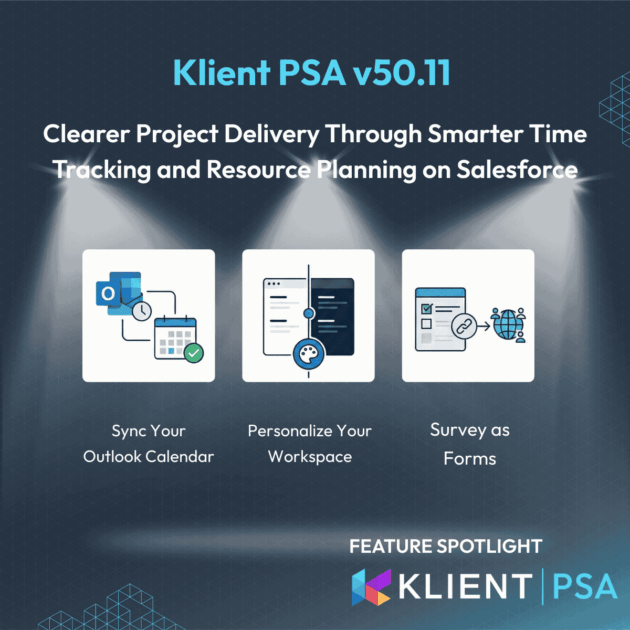
KLIENT FEATURE SPOTLIGHT
Klient PSA 50.11: Clearer Project Delivery Through Smarter Time Tracking and Resource Planning on Salesforce
3 Powerful New Features in Klient PSA 50.11 to transform Time Tracking and Resource Planning
In professional services delivery, small inefficiencies create long-term risk. Time is logged late or inaccurately. Planning views lack context. Teams spend time navigating instead of acting. As project volume grows, these gaps reduce confidence in reporting and make delivery management more reactive than it should be.
Release 50.11 of Klient PSA focuses on removing friction from core delivery workflows. The update improves how time is captured, how work is planned, and how delivery signals are reviewed directly inside Salesforce.
The goal is simple: make project, resource, and effort data easier to capture and easier to trust during daily operations.
🗓️ Logging time from real calendar context, not memory
The challenge
Most billable work is triggered by scheduled activities. Client calls, workshops, internal planning sessions, and recurring ceremonies often live in external calendars (Google or Outlook) . When that context is not visible during time entry, users reconstruct their week from memory. That is where missed billable time and incomplete effort tracking happens.
What’s new
Klient PSA 50.11 adds Microsoft Outlook Calendar visibility inside My Timesheet, alongside existing calendar options. See our release 50.8 for more on our Google Calendar integration. Outlook events can be connected and viewed directly where time is entered. Importantly, synced events are displayed in My Timesheet without being created as Salesforce Calendar event records, which reduces clutter and avoids duplication.
Why it matters
- Easier to spot billable activities that would otherwise be forgotten
- Faster daily time entry because the week is already structured by events
- More reliable effort history for project delivery reporting and invoicing workflows
⏳ Entering time faster with consistent formatting across regions
The challenge
Time entry should be simple, but teams run into avoidable friction:
-
People naturally think in hours and minutes, not decimals
-
Locale differences (comma vs period separators) create errors
-
Timesheet insights are harder to interpret when visuals are rigid or unclear
These issues slow down time entry, create approval noise, and reduce confidence in utilization reporting.
What’s new
Klient PSA 50.11 improves time entry and clarity in My Timesheet with:
-
hh:mm input support (example: 1:30) with automatic conversion to decimal hours
-
Locale-aware decimal handling, accepting comma or period based on user locale
-
Configurable color mapping for daily totals and utilization indicators, so visual signals match how your team monitors performance
Additional usability refinements that improve day-to-day timesheet navigation and readability
Why it matters
-
Less friction means time is logged sooner and more accurately
-
Fewer formatting-related corrections during review and approval
-
Clearer utilization and daily-hour signals without extra reporting steps
📋 Using survey as forms
The challenge
When you need feedback from people outside Salesforce, the process often breaks down:
-
Links get forwarded
-
Respondents abandon halfway and you lose partial input
-
Teams spend time chasing responses or rebuilding context
Traditional survey delivery is not always suitable when the goal is intake, validation, or structured responses from external stakeholders.
What’s new
Klient PSA 50.11 introduces Surveys as Forms via public distribution links:
-
Surveys can be shared through a public URL
-
Respondents start by entering an email, then complete the form
-
Progress is auto-saved so they can leave and resume without losing work
-
Distribution URLs can be generated for new surveys and also added to existing ones
Why it matters
-
Higher completion rates because respondents can resume later
-
Less manual follow-up to recover missing answers
-
More consistent intake and feedback capture to support delivery processes
Before and after: operational impact
VIDEO
SCREENSHOTS
RELATED DOCUMENTATION
– Read the Release Notes
– Explore the FAQ
Free eLearning courses:
– Learn how to log your time in Salesforce
– How to structure your project in Salesforce
Before Klient PSA 50.11:
-
Time entry required manual cross-checking between Outlook and the timesheet
-
Global teams dealt with inconsistent time formats and avoidable entry errors
-
External feedback collection often resulted in abandoned responses and follow-up loops
After Klient PSA 50.11:
-
Outlook events provide immediate context for completing timesheets
-
Time entry supports natural formats and regional number conventions
-
Survey distribution links enable resumable, form-like feedback collection
Ready to See it in Action?
Release 50.11 is built to make day-to-day work smoother, from fast project adjustments to cleaner month-end workflows, more accurate financials, and effortless client transparency.
If you’d like to dive deeper into these improvements, you can join our next product update webinar or request a personalized demo.
See it live: Register for our next live product update webinar
Release 50.11 FAQ
The integration allows users to view Outlook calendar events directly within the My Timesheet interface for easy time logging, but it is specifically designed not to create or save those events in the Salesforce Calendar, thus preventing duplicates.
My Timesheet now automatically recognizes and converts time entered in hh:mm format (e.g., “1:30”) to decimal hours and correctly interprets decimal commas or points based on each user’s individual locale settings.
Surveys as Forms are best used when collecting structured input or feedback from people outside Salesforce. Because responses collected through public links are not automatically tied to a specific project or contact record, they work best as form-like inputs. For example, collecting onboarding requirements or internal requests.
Found this helpful?
Here are some similar articles in our serie Klient Feature Spotlight
Replace all your tools with Klient, Salesforce #1 PSA platform
Run your entire SaaS and consulting business on a single professional service automation platform native to Salesforce!