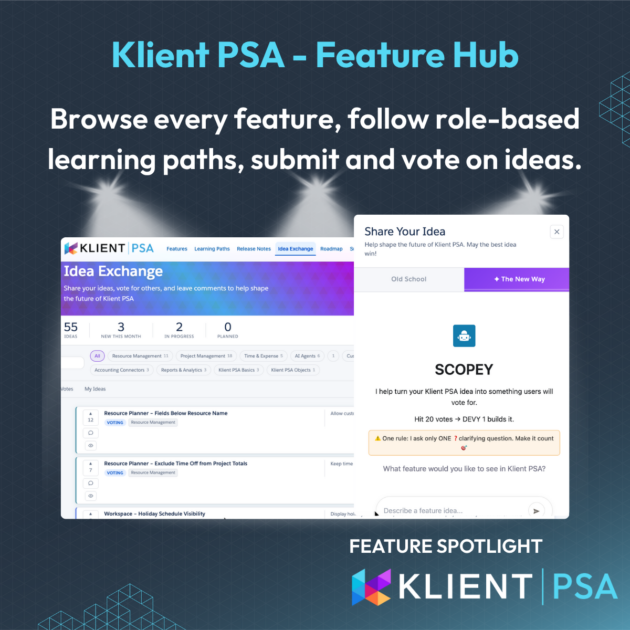
KLIENT FEATURE SPOTLIGHT
Klient Feature Hub: One Place to Discover, Learn, and Shape Klient PSA
Browse every feature, follow role-based learning paths, submit and vote on ideas, and track what is shipping next. The Klient Feature Hub brings the full customer experience into a single Salesforce Experience Cloud site.
Good software is only half the job. The experience around it, documentation, training, support, the feedback loop, the roadmap, is the other half. And in most SaaS products, that half is a mess of disconnected tools.
The Klient Feature Hub is how we are fixing it for Klient PSA customers. One site, one login, everything you need to learn the product, use it well, and shape where it goes next.
What is the Klient Feature Hub?
The Klient Feature Hub is the official customer portal for Klient PSA. It is a Salesforce Experience Cloud site that consolidates the resources that usually live in four or five different tools: feature documentation, role-based learning, release notes, a public roadmap, a customer-driven Idea Exchange, support, and onboarding tracking.
Instead of switching between a help center, a learning management system, a feedback form, and a roadmap doc, customers work from one navigation. Every page is searchable, every learning path is role-based, and every idea is visible to the full community for voting and comment.
A Tour of the Klient Feature Hub
Seven tabs, each built for a specific job. Swipe through the tour below.
Tab 1
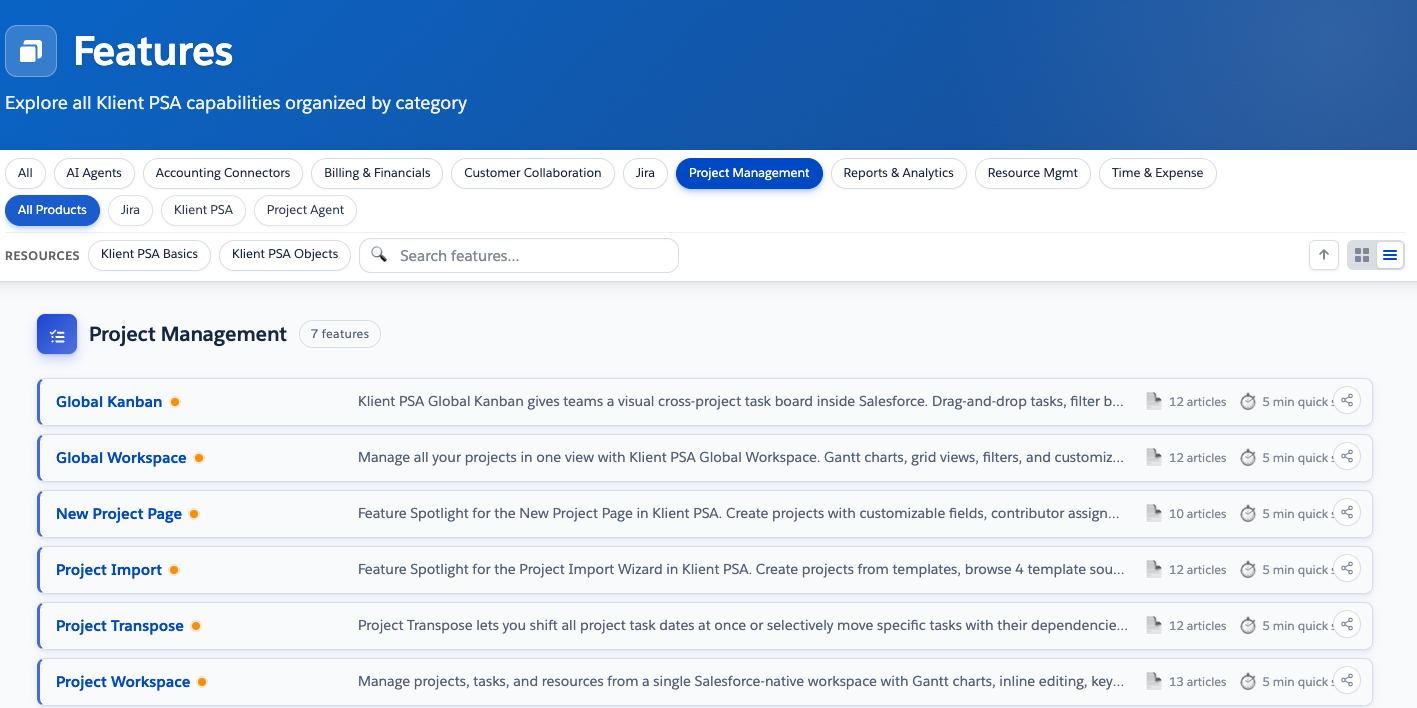
Features
The searchable catalog of everything Klient PSA can do. Capabilities are organized by category, with filters for product and area. The fastest way to see what Klient PSA covers.
Tab 2
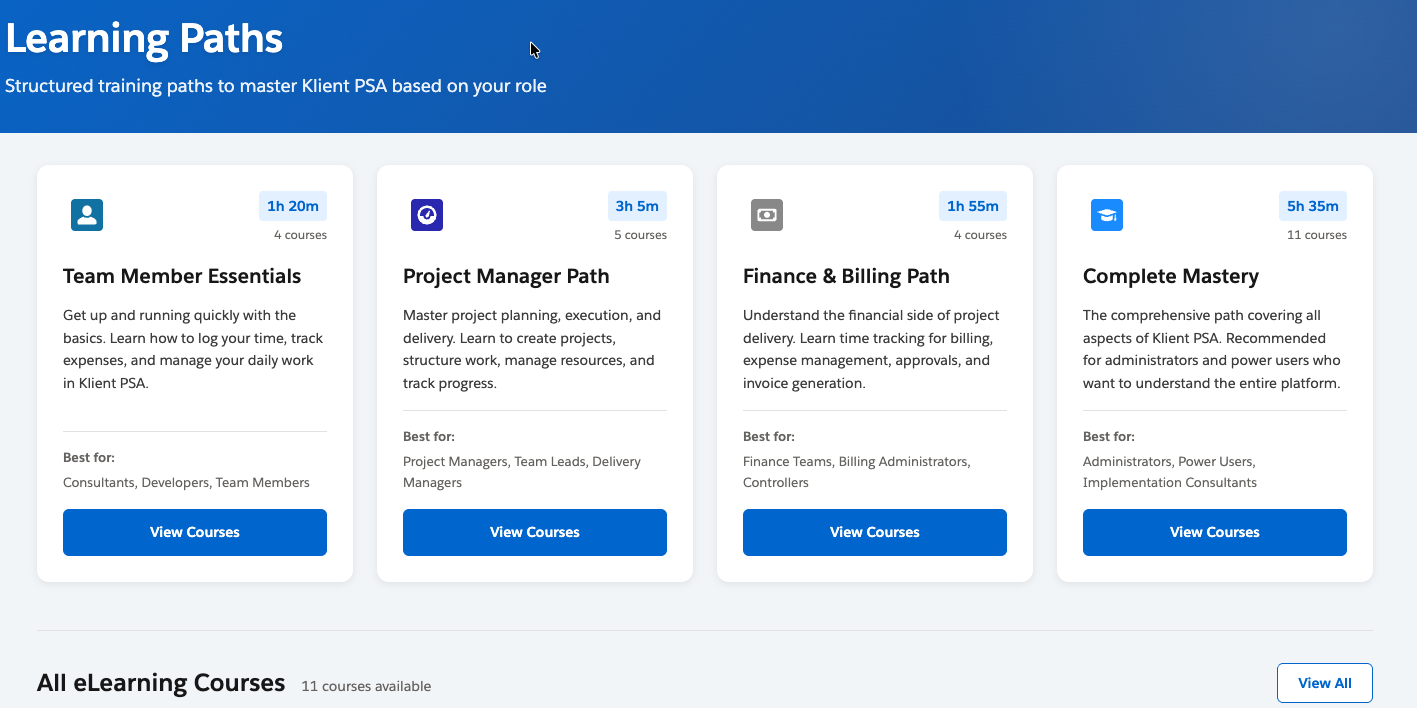
Learning Paths
Four structured paths covering 24 courses. Team Members, Project Managers, Finance and Billing, and Complete Mastery. Progress tracking built in, so users always know where they left off.
Tab 3
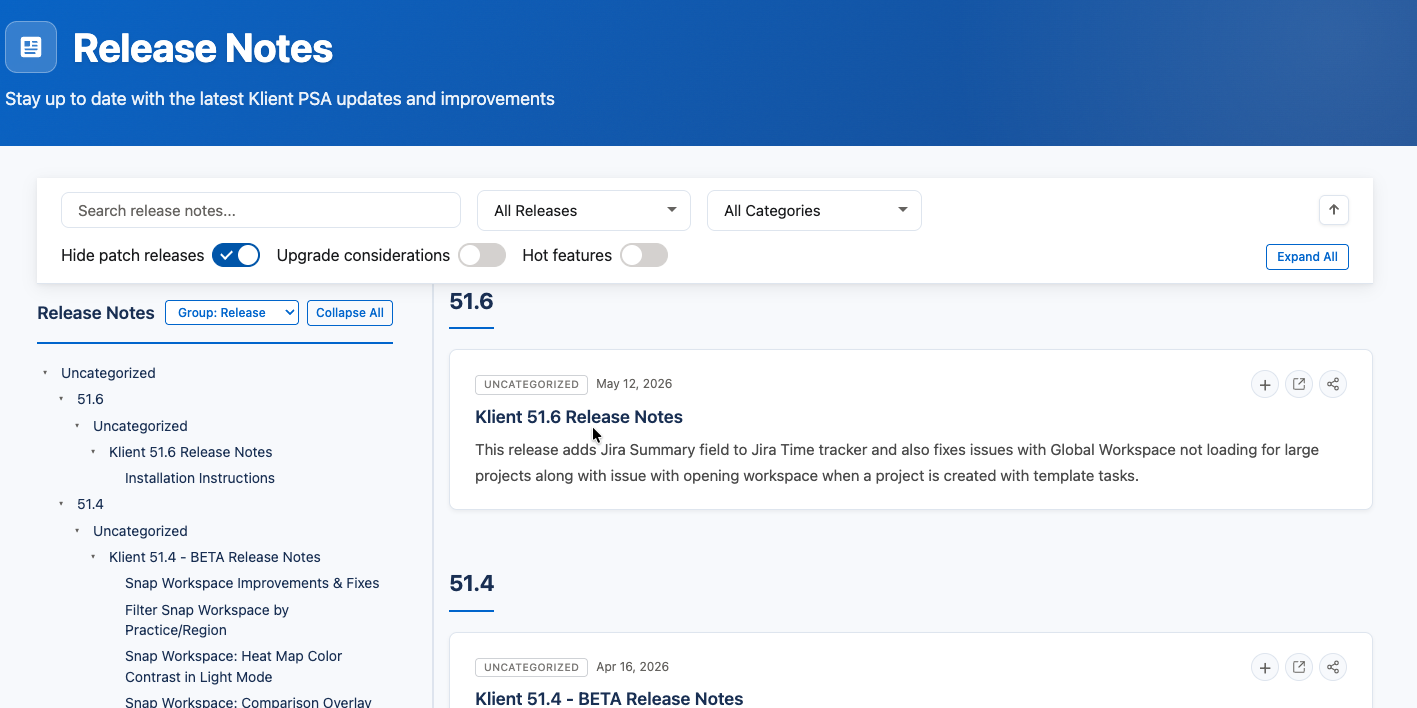
Release Notes
The source of truth for what shipped in each version of Klient PSA. See what changed, what was fixed, and what to test before pushing an update to production.
Tab 4
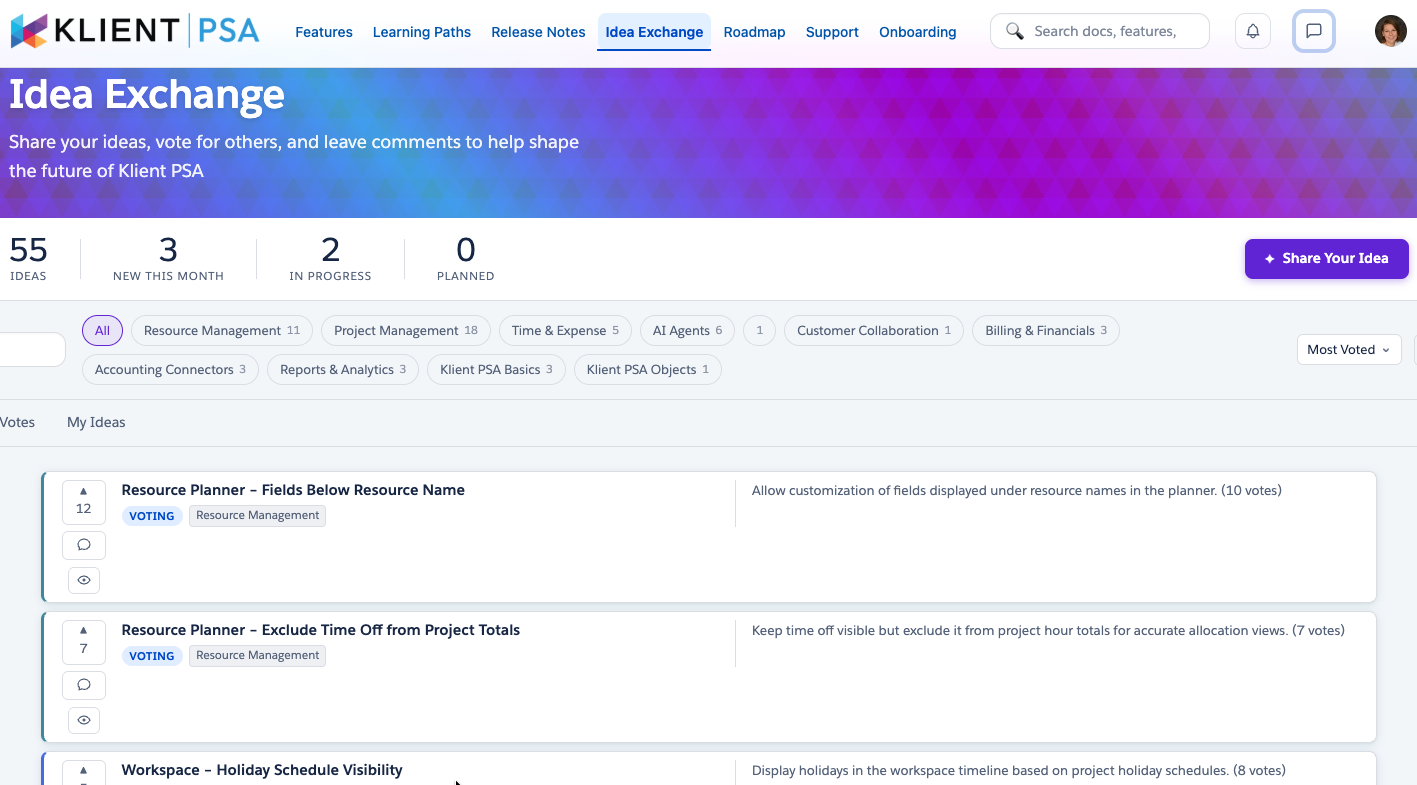
Idea Exchange
Submit ideas, vote on what other customers want, and watch each one move from Voting to Planned to In Progress to Delivered. 54 ideas at launch, with new ones added every week.
Tab 5
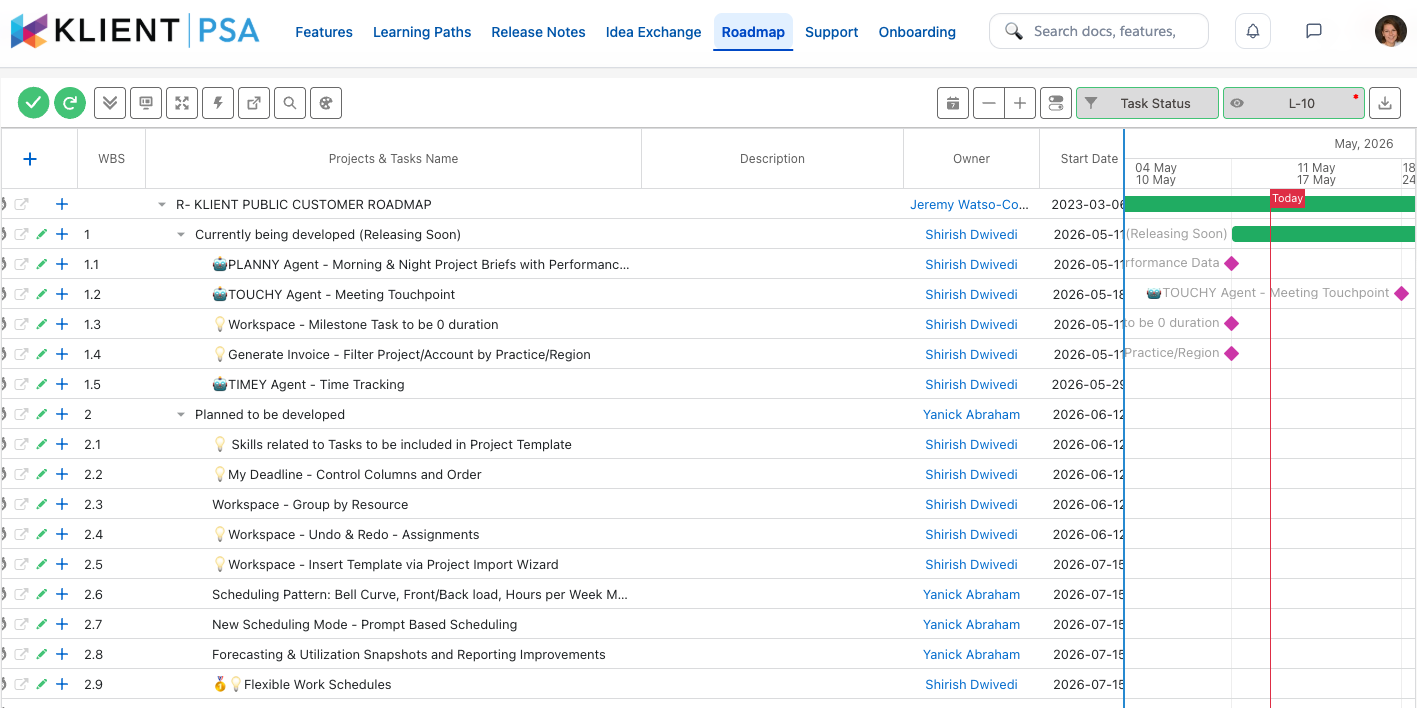
Roadmap
The public view of what Klient PSA is building. Grouped by release horizon, so customers can plan adoption around what is in development, what is planned, and what is in beta.
Tab 6
Support
The single entry point for customer support. Log a case, browse the knowledge base, and access service-level commitments. No separate portal, no second login.
Why It Matters for Klient PSA Customers
✓ A Real Voice in the Roadmap
The Idea Exchange gives every customer a place to submit, vote, and comment on what Klient PSA should build next. Each idea has a visible status, so customers see exactly where their request stands.
✓ Faster Adoption Through Role-Based Learning
Four structured paths covering 24 courses route each user to training that fits their job. New hires get productive faster, and existing teams have a clear path to mastery.
✓ One Login for the Full Customer Experience
Customers stop bouncing between portals. Features, training, ideas, roadmap, release notes, support, and onboarding all live under one Klient login.
How Customers Use the Klient Feature Hub
The Hub is built for the people who actually use Klient PSA every day.
-
- New users start with Learning Paths. They pick the path that matches their role, work through the courses, and use the Features tab when they need to look up a specific capability.
-
- Project managers and finance leads live in the Features tab and the Release Notes. They check what shipped before each release window, then update their team on anything that changes a workflow.
-
- Administrators use every tab. They run onboarding from the Onboarding tracker, plan adoption from the Roadmap, route their team to Learning Paths, and surface customer requests through the Idea Exchange.
-
- Executives and product champions watch the Idea Exchange and the Roadmap. They see which ideas the broader community is backing, and they line up their internal priorities against what Klient is shipping next.
Across all four roles, the value is the same. Less time looking for the right resource. More time doing the work.
Ready to see how your team can get more out of Klient PSA?
If you are a customer, log in to the Klient Feature Hub.
If you are evaluating Klient PSA, see it live in a demo.
Klient Feature Hub FAQ
What is the Klient Feature Hub?
The Klient Feature Hub is the official customer portal for Klient PSA. It is a Salesforce Experience Cloud site that brings feature documentation, role-based learning paths, the public roadmap, release notes, the Idea Exchange, support, and onboarding tracking into one navigation.
Who can access the Klient Feature Hub?
Active Klient PSA customers can log in with their Klient credentials. Prospects can request access during a demo or evaluation. Some areas, such as the public roadmap, are visible without a login.
How do I submit a feature request to Klient PSA?
Open the Idea Exchange tab, click Share Your Idea, and submit your request. Other customers can then vote and comment. Each idea is tagged by area and moves through a visible lifecycle from Voting to Planned, In Progress, and Delivered.
What learning paths are available?
The Hub launches with four paths: Team Member Essentials, Project Manager Path, Finance and Billing Path, and Complete Mastery. Together they cover 24 courses across consultant, project manager, finance, and administrator roles. Each path tracks progress so users can pick up where they left off.
Does the Klient Feature Hub replace the existing support portal?
Yes. The Support tab inside the Hub is the new single entry point for case logging, the knowledge base, and service-level information. Customers no longer need a separate support login.
How often is the roadmap updated?
The Roadmap tab is updated each release cycle, with items moving between in development, planned, and delivered as work progresses. Customers can subscribe to release note updates from the Release Notes tab.
Found this helpful?
Here are some similar articles in our serie Klient Feature Spotlight
Replace all your tools with Klient, Salesforce #1 PSA platform
Run your entire SaaS and consulting business on a single professional service automation platform native to Salesforce!