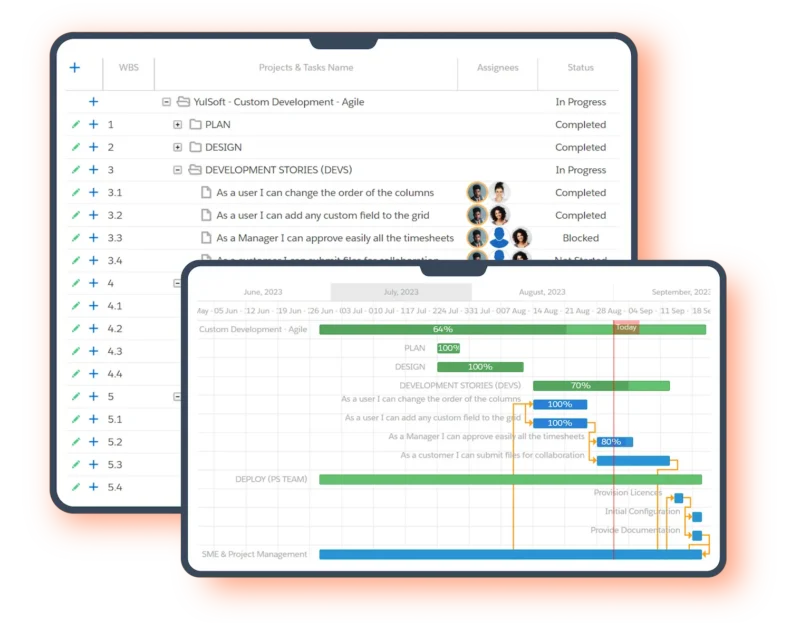
Salesforce PSA (Professional Services Automation) is software that manages project delivery — scoping, resource scheduling, time tracking, and client billing — natively on the Salesforce platform. Salesforce itself does not include PSA out of the box: CRM ends at Closed-Won. A Salesforce PSA app from the AppExchange extends your existing org so that sales and delivery teams share one data model, one login, and one source of truth — no external integrations, no data silos.
This guide explains what a Salesforce PSA does, how the sales-to-delivery handoff actually works, who needs one, how to evaluate the options, what implementation looks like, and how the leading solutions compare. (New to PSA as a category? Start with What Is PSA Software? — this guide covers the Salesforce-specific layer.)
What does a Salesforce PSA do?
A Salesforce PSA automates the entire services delivery lifecycle inside your CRM:
- Project scoping and planning — turn a closed opportunity into a structured project plan with phases, tasks, milestones, dependencies, and budgets.
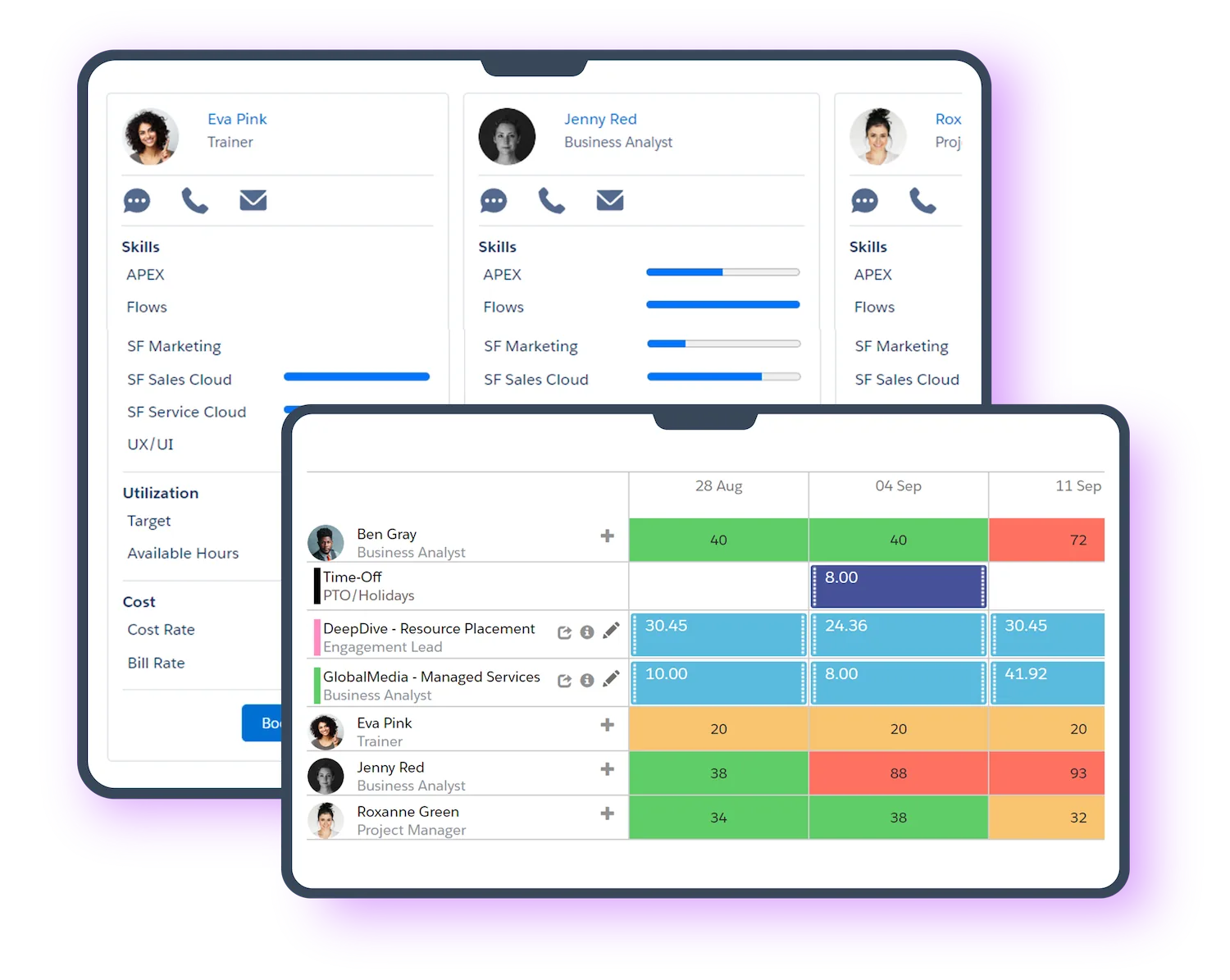
- Resource management — schedule consultants by skill, availability, and utilization targets; see capacity and conflicts across every project in one view.
- Time and expense tracking — weekly timesheets, approvals, and PTO, captured against the same project records that drive billing, so nothing billable slips.
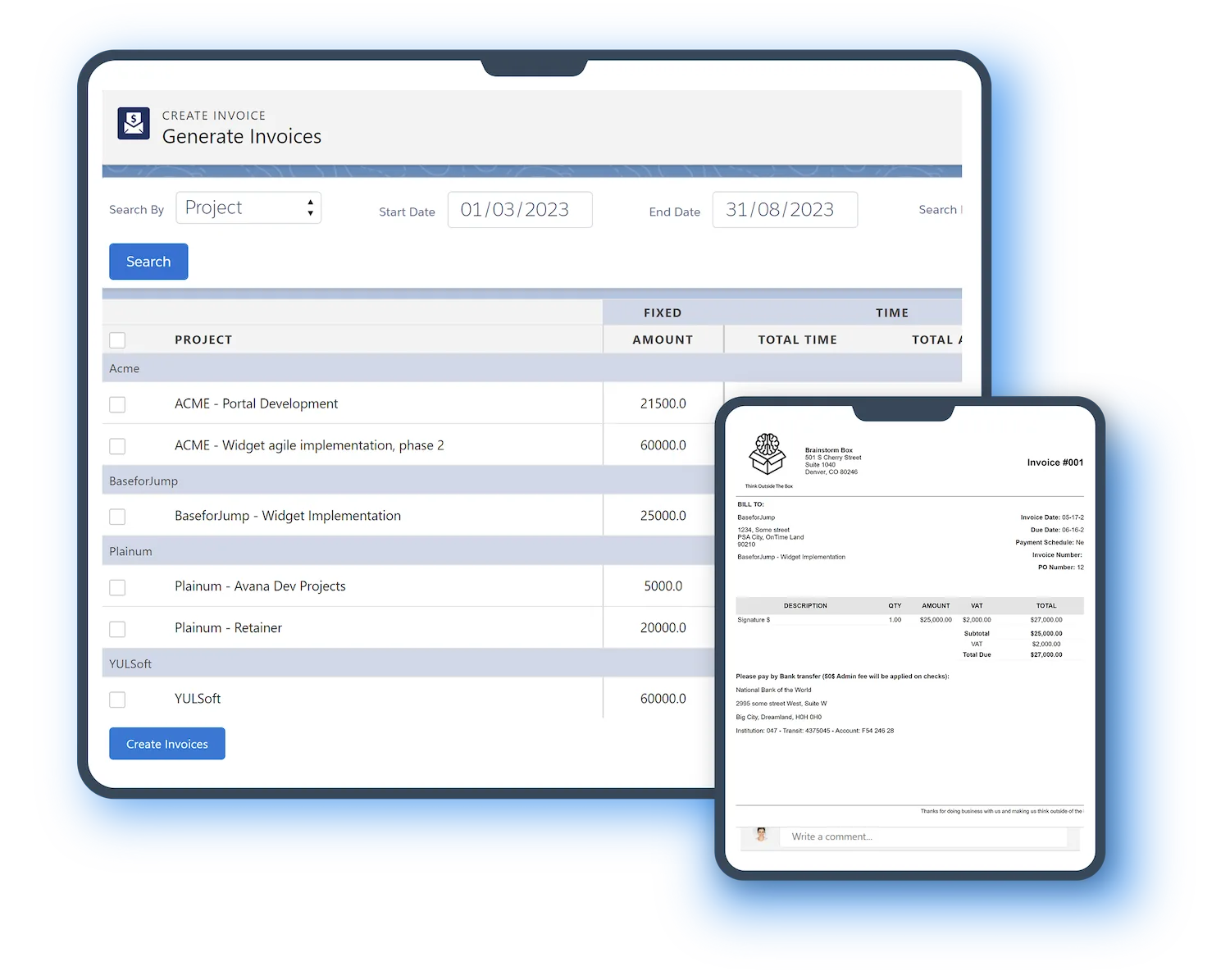
- Billing and invoicing — fixed-fee, time-and-materials, milestone, and retainer models, invoiced from approved time without re-keying into another system.
- Project financials — real-time margin, budget burn, revenue forecast, and utilization per project, per client, and per practice.
Because all of this lives on the Salesforce platform, executives see project performance, margins, and resource utilization directly in the CRM they already use — alongside pipeline and accounts. There is no nightly sync, no CSV export, and no second system of record to reconcile.
How the sales-to-delivery handoff works
The core reason services firms choose a Salesforce-native PSA is the handoff. When an opportunity closes:
- The opportunity converts to a project — automatically or from a template — carrying the account, the sold scope, and the budget with it.
- Quote lines become project tasks and budgets, so delivery teams track exactly what sales promised. Scope creep and poorly handled change orders become visible instead of silently eating margin.
- Resourcing, time capture, and billing all run against that same project record — from kickoff to final invoice, nothing leaves Salesforce.
With an integrated (non-native) PSA, each of those steps crosses an API boundary where data can lag, break, or disagree. With a native PSA there is no boundary. See our full breakdown: Salesforce PSA — Native vs Integrated, and the step-by-step in the Salesforce sales-to-delivery handoff.
Does Salesforce have a built-in PSA?
No. Salesforce provides the platform (CRM, reporting, automation, security) but does not ship professional services automation as a standard feature. Services firms add a purpose-built PSA application from the Salesforce AppExchange. “Native” means the app is built entirely on the Salesforce platform — your data never leaves your org, your admins manage one system, and every Salesforce feature (reports, dashboards, Flow, Agentforce) works on your project data. See the full benefits of a Salesforce-native PSA.
Who needs a Salesforce PSA?
Salesforce PSA software is built for professional-services firms of roughly 50 to 1,000 people — consultancies, Salesforce SIs, IT services, agencies, and the services arms of SaaS companies — that already run sales on Salesforce and have outgrown spreadsheets and disconnected project tools. Below that size, lightweight project apps usually suffice; above it, firms typically layer PSA with enterprise ERP. The sweet spot is the firm whose margin now depends on utilization and clean handoffs, not heroics.
How to evaluate a Salesforce PSA
Seven questions that separate the options quickly:
- Is it 100% native? Some “Salesforce PSAs” run partly off-platform. If any module leaves your org, you inherit the integration problems a native PSA exists to remove.
- Is the Salesforce license included in the price? Some vendors quote a per-user price that assumes you buy Salesforce platform licenses separately — ask explicitly.
- Does it support your billing models? Fixed-fee and retainer firms have different needs than pure time-and-materials shops; test invoice generation for the models you actually sell.
- Will consultants actually log time in it? Timesheet UX decides data quality. A PSA your team avoids produces margins you can’t trust.
- What does AI do in it today? Ask which delivery tasks agents can own now (status reports, time capture, scoping) — not what the roadmap promises.
- How long is implementation? Native PSAs installing into your existing org should be live in weeks. Multi-quarter implementations are an ERP pattern, not a PSA one.
- What do verified reviews say? AppExchange and G2 reviews are vendor-independent; filter by rating and read the recent ones.
Leading Salesforce PSA solutions compared
The main Salesforce-native PSA options, all distributed through the AppExchange:
| Solution | Salesforce-native | Pricing | Best for |
|---|---|---|---|
| Klient PSA | Yes — 100% native | From $39/user/mo, Salesforce license included | PS firms of 50–1,000 people; fixed-fee and retainer models; AI-assisted delivery. Rated 4.96/5 across 80+ AppExchange reviews. |
| Certinia PS Cloud | Yes | Custom quote | Large enterprise services orgs needing deep revenue management and financials. |
| Kantata SX | Yes | Custom quote | Multi-entity enterprises focused on resource management at scale. |
| Mission Control | Yes | See AppExchange listing | Project and portfolio management across industries beyond professional services. |
| Cloud Coach | Yes | See AppExchange listing | Project management plus PSA for teams wanting one tool across varied work types. |
| Precursive | Yes | See AppExchange listing | Customer onboarding and services delivery workflows. |
For head-to-head breakdowns, see the comparison hub or the full Best Salesforce PSA Software guide. To compare user reviews directly, filter by rating on the Salesforce AppExchange.
What does implementation look like?
Because a native PSA installs into your existing Salesforce org — reusing your accounts, opportunities, users, and security model — implementation is measured in weeks, not quarters. A typical Klient PSA go-live runs about three weeks:
- Install and configure — the app installs from the AppExchange into your org; billing models, project templates, and approval flows are configured to match how you sell and deliver.
- Migrate and connect — open projects and budgets come in; the opportunity-to-project handoff is wired to your existing sales process.
- Train and launch — consultants learn timesheets and project views; PMs learn planning and billing. Because it looks and behaves like Salesforce, adoption is a familiarity problem, not a retraining one.
What does Salesforce PSA cost?
Pricing varies widely by vendor, and the biggest hidden variable is whether the Salesforce platform license is included. Klient PSA publishes its pricing: from $39/user/month (billed annually), with Enterprise at $59 and Ultimate at $129 — Salesforce license included at every tier — and AI agents available as a $1,000 one-time purchase each. Most enterprise PSA vendors quote custom pricing on top of separate Salesforce licenses, so always ask for the all-in per-user number. Full details: Klient PSA pricing.
Where Salesforce PSA is heading: AI agents in delivery
The newest capability layer in Salesforce PSA is AI agents working inside the delivery process. Because a native PSA’s project data lives on the Salesforce platform, Agentforce agents can be assigned real delivery tasks — drafting status reports, capturing time, preparing scopes, monitoring project health — with humans reviewing every output. Klient PSA ships nine AI agents powered by Salesforce Agentforce plus an MCP server that connects outside AI assistants (Claude, Copilot, Cursor) to your org, an operating model it calls Hybrid Project Delivery. When evaluating any Salesforce PSA in 2026, ask what its AI can own today inside your org — not in a separate tool.
FAQ
What is PSA on Salesforce?
PSA on Salesforce is professional services automation software installed into a Salesforce org from the AppExchange. It manages projects, resources, timesheets, and billing on the same platform as the CRM, so sales and delivery share one data model.
Is Salesforce PSA the same thing as Salesforce?
No. Salesforce is the CRM platform; a Salesforce PSA is a separate application built on that platform. You need a Salesforce org (or a PSA that bundles the platform license, like Klient PSA) plus the PSA app.
What is the difference between PSA and ERP?
PSA manages the services delivery lifecycle — projects, people, time, billing. ERP manages company-wide finance, inventory, and operations. Many services firms run both, with PSA feeding invoices into ERP. Full comparison: ERP vs PSA.
Which PSA solutions are Salesforce-native?
The main Salesforce-native PSA and project delivery solutions are Klient PSA, Certinia PS Cloud, Kantata SX, Mission Control, Cloud Coach, and Precursive — all distributed through the Salesforce AppExchange.
Can AI agents work inside a Salesforce PSA?
Yes — on a native PSA, Agentforce AI agents can be assigned delivery tasks like status reporting, time capture, and scoping, with human review of every output. Klient PSA includes nine AI agents powered by Salesforce Agentforce.
How long does a Salesforce PSA take to implement?
Because a native PSA installs into your existing org and reuses your data, implementations are measured in weeks, not quarters — Klient PSA customers typically go live in about three weeks.
Who is Salesforce PSA for?
Professional-services firms of about 50 to 1,000 people that run sales on Salesforce: consultancies, Salesforce SI partners, IT services firms, agencies, and SaaS professional-services teams.
Ready to see the sales-to-delivery handoff live? Explore Klient PSA or book a demo.