A Salesforce-native PSA runs professional services automation — projects, resourcing, time, and billing — inside your Salesforce org, on the same database as your CRM. That single architectural fact produces every benefit below: because delivery data never leaves the platform, there is no integration to build, no sync to break, and no second system of record to reconcile. Here are the seven benefits that matter most when you evaluate one.
(New to the category first? See What Is Salesforce PSA? and the native vs integrated breakdown.)
1. One source of truth from pipeline to invoice
On a native PSA, the opportunity, the project, the timesheet, and the invoice are all records in one org. Sales sees delivery; delivery sees what was sold; finance sees both. There is no export, no reconciliation, and no argument about which system is right — because there is only one system. That continuity is what makes the sales-to-delivery handoff clean instead of lossy.
2. No integration tax
An integrated (non-native) PSA is a separate application that syncs into Salesforce. Someone has to build that sync, pay for it, monitor it, and fix it when a field changes or an API version deprecates. A native PSA has nothing to integrate — it is already in Salesforce. You remove a permanent line item of cost, risk, and IT attention that most firms underestimate until a sync silently drops data mid-quarter.
The tax is rarely on the price list. It shows up as the middleware subscription, the admin hours spent reconciling records that drifted overnight, and the project that stalls because the connector broke on a release weekend. It also caps what you can do: any customization has to work on both sides of the sync, so the flexibility Salesforce is bought for is exactly what an integration constrains. Native removes the tax and the ceiling at once.
3. Real-time project financials and margin
Because time and billing post against the same records as the budget, margin is live — not a month-end reconstruction. Project managers see budget burn as hours are logged; executives see utilization and revenue forecast across the portfolio in the same dashboards they use for pipeline. Overruns surface while you can still act on them, not after the engagement closes underwater.
The compounding effect is trust: when financials come from the same records the work is logged against, nobody argues about whose spreadsheet is right. Finance stops rebuilding numbers from exports, and the forecast a partner presents to the board is the same one the delivery lead manages to. On an integrated PSA, those numbers are only as fresh as the last sync — a subtle but constant source of the “the report says one thing, the project says another” friction that erodes confidence in the data.
4. Higher utilization and cleaner time capture
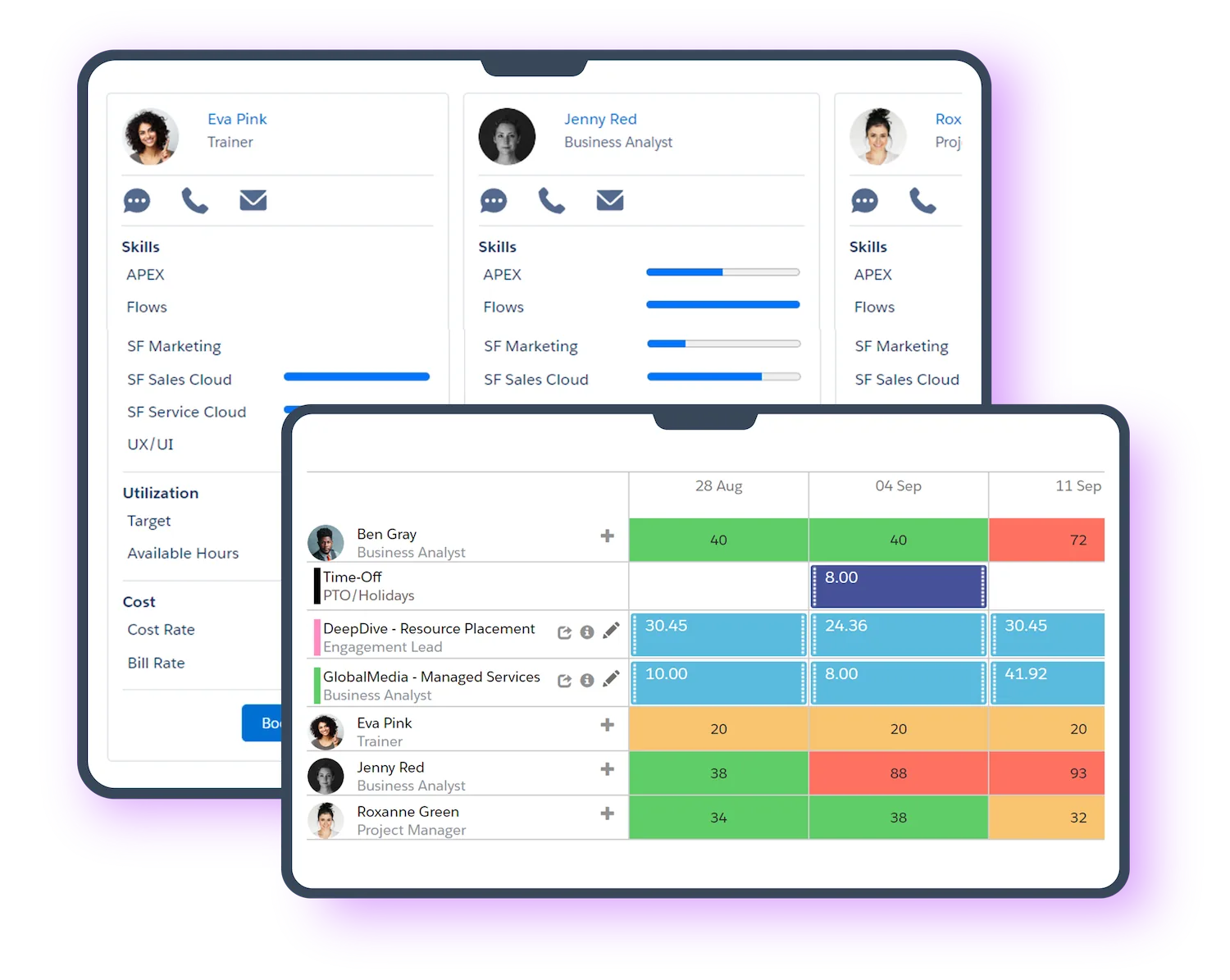
Consultants already live in Salesforce, so logging time in a native PSA is one login, not a second tool to remember. Better adoption means more complete timesheets, which means the utilization and billing numbers you manage by are trustworthy. The margin you can’t see is the margin you lose — a native PSA makes billable time visible where the work already happens.
5. Faster go-live
A native PSA installs into your existing org and reuses your accounts, users, and security model, so implementation is measured in weeks rather than the quarters an off-platform system or ERP demands. Klient PSA customers typically go live in about three weeks. Faster deployment means the tool starts protecting margin sooner and the change-management burden on your team is a familiarity problem, not a retraining one.
6. Salesforce-grade security, permissions, and compliance
Your delivery data inherits the same sharing rules, field-level security, audit trail, and compliance posture you already trust for your CRM. There is no second security model to configure and no third-party data processor to vet, because project data never leaves Salesforce. For firms in regulated industries, that is often the difference between a PSA that passes security review and one that doesn’t.
7. AI agents that work on your live data
Because project records live on the Salesforce platform, Agentforce AI agents can act on them directly — drafting status reports, capturing time, preparing scopes, monitoring project health — with a human approving every output. Klient PSA ships nine AI agents powered by Salesforce Agentforce plus an MCP server that connects outside AI assistants (Claude, Copilot, Cursor) to your org. An off-platform PSA can’t offer this cleanly, because its data isn’t where Agentforce lives. This is Hybrid Project Delivery: humans lead, agents deliver.
The native advantage at a glance
| Benefit | Salesforce-native PSA | Integrated PSA |
|---|---|---|
| Source of truth | One org, no reconciliation | Two systems synced across an API |
| Integration cost | None — already in Salesforce | Build, pay, monitor, maintain |
| Financials | Real-time margin | Depends on sync freshness |
| Security model | Salesforce-native, one model | Second model + data processor |
| Time to go live | Weeks (≈3 for Klient PSA) | Months |
| AI on live data | Agentforce acts directly | Data sits off-platform |
How to verify a PSA is genuinely native
“Native” is a claimed word, so test it with three questions before you believe it:
- Where does the data physically live? If any module stores records outside your Salesforce org, it is integrated, not native — ask for the data-residency answer in writing.
- Is it a managed package on the AppExchange, installed into your org? A true native PSA installs as a managed package and runs on Salesforce infrastructure, not as an external app that authenticates in.
- Do standard Salesforce tools work on the project data? If you can build a report, a Flow, or an Agentforce action directly on projects, tasks, and timesheets, the data is native. If those require a connector or a separate reporting layer, it isn’t.
Who gets the most from a Salesforce-native PSA
These benefits compound most for professional-services firms of roughly 50 to 1,000 people already running sales on Salesforce — consultancies, Salesforce SIs, IT services, agencies, and SaaS services teams — whose margin now depends on utilization and clean handoffs. Below that size, lightweight project tools usually suffice; above it, firms layer PSA with enterprise ERP. See how it maps to your sector on the consulting and IT services pages, or compare options on the comparison hub.
FAQ
What are the benefits of a Salesforce-native PSA?
One source of truth from pipeline to invoice, no integration to build or maintain, real-time project financials, higher utilization through better time-capture adoption, faster go-live, Salesforce-grade security, and AI agents that act on your live data.
What does “Salesforce-native” actually mean?
It means the PSA is built entirely on the Salesforce platform and stores its data in your Salesforce org — no separate database, no integration, no nightly sync. An integrated PSA is a separate app that syncs into Salesforce.
Is a native PSA more secure than an integrated one?
It inherits your existing Salesforce security — sharing rules, field-level security, and audit trail — with no second security model or third-party data processor, because project data never leaves your org.
How much faster is a native PSA to implement?
Because it installs into your existing org and reuses your data, implementation takes weeks rather than the months an off-platform system needs. Klient PSA customers typically go live in about three weeks.
Can a native Salesforce PSA use AI agents?
Yes. Because project data lives on the Salesforce platform, Agentforce agents can act on it directly. Klient PSA includes nine AI agents powered by Salesforce Agentforce, with human approval on every output.
See these benefits in your own org: explore Klient PSA, review pricing, or book a demo.