KLIENT FEATURE SPOTLIGHT
Workspace
Milestone View
Cut the noise — Focus on what matters with the Milestone View
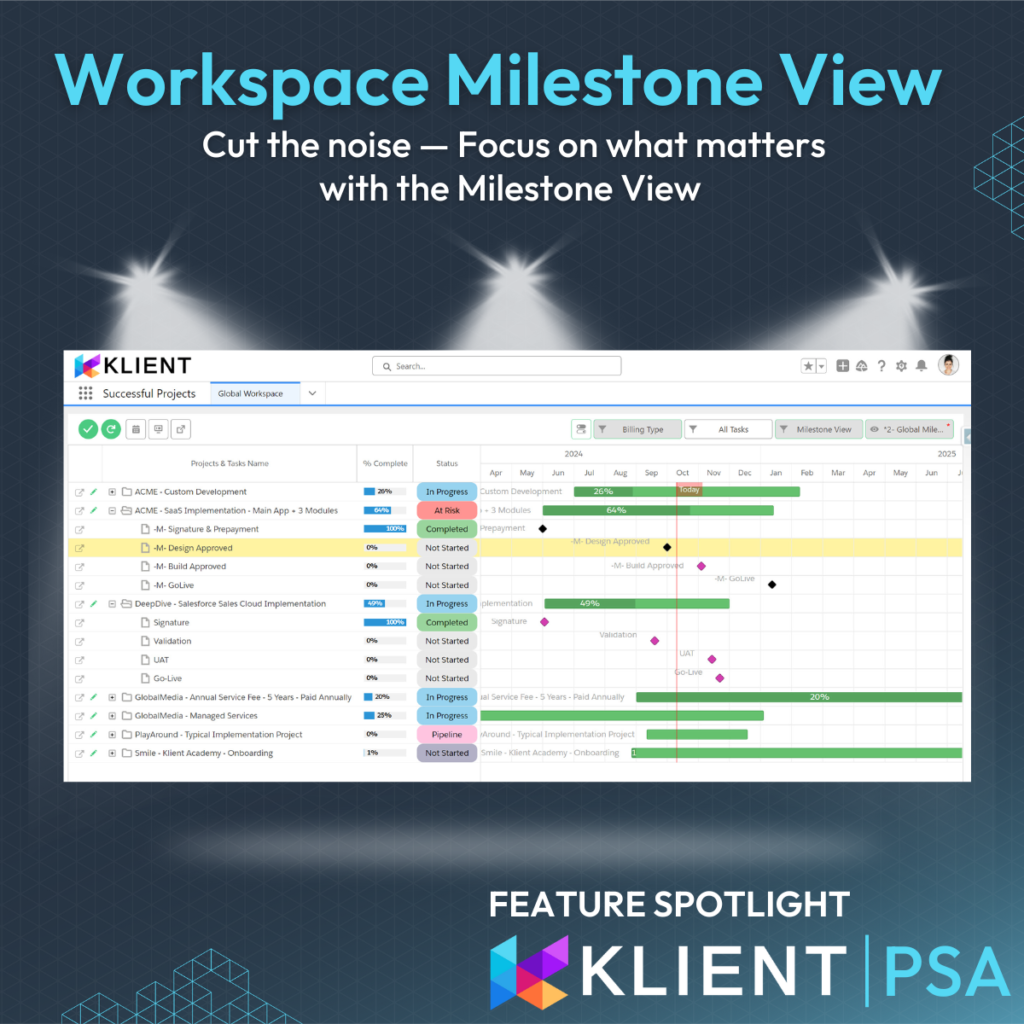
Every project needs its milestones. They provide clarity and set expectations for your customers. Easily toggle between all tasks and an uncluttered milestone view from the Global and Project Workspace.
Understanding milestones
Milestones are key events set at specific points in time with no duration—they’re either incomplete or complete. On the Gantt chart, they appear as pink diamonds (standard) or black diamonds (billable). Establish milestones at the start of your project, confirm dates with your team, and share them with customers immediately. Monitor any date changes to stay ahead of project adjustments.
Why Use the Milestone View
1- Cut through the noise
Focus on the critical points that matter to leadership and stakeholders. Toggle the milestone view to zero in on these key events, ignoring the clutter of all project tasks.
2- Close more deals
Showcasing the Project Plan and the Milestone View to prospects during your sales process demonstrates your structure and transparency.
3- Milestones Everywhere
No need to group milestones separately in your project plan; the Milestone View allows you to see all milestones at a glance, simplifying tracking.
4- Never drop the ball
Stay ahead by monitoring upcoming and overdue milestones to keep timelines on track and billable milestones invoiced.
When to Use the Milestone View
During the Sales Process
Include a screenshot of the Project Workspace Milestone View in a sales deck and significantly boosts your closing rates.
Weekly Team Reviews
Use it during team project and portfolio reviews to focus on upcoming milestones and drill down on overdue ones.
Customer Project Status Reviews
Toggle between the Milestone and Baseline views to showcase your project’s progress and evolution.
🔦 How We Do It at Klient
When presenting budgets and timelines to prospects, we always include a slide showing the project plan with clear milestone dates. We either use a screenshot from the Workspace or the export feature.
How to Use the Milestone View
Set Your Task as a Milestone
Check the “Milestone” box on a Klient Task to mark it as such. Mark milestones as billable by adding an amount in the “Milestone Payment” field. They display as black diamonds on the Gantt chart, and once completed, they become available for invoicing.
Toggle the View
From the menu bar of the Global and Project Workspace, easily toggle the Milestone View.
With Baselines
Use the baseline toggle to compare the original milestone date with the actual date to track progress and catch deviations early.
🔦 How We Do It at Klient
At Klient, during our weekly team meetings, we track the “Go-Live pushed back” data point, aiming for zero changes—ensuring projects stay aligned with their planned timelines.
Quick Tips
- Milestones should not be parent tasks
- Duration should be set to 1
- Avoid logging time on milestones
SCREENSHOTS
RELATED INFORMATION
- Milestones Tasks (article)
- Global Workspace Overview (article)
- Project Workspace Overview (article)
If you like our Feature Spotlight, you might be interested in our Klient Tips series:
View All Klient-Tips
Found this helpful?
Here are some similar articles in our serie Klient Feature Spotlight