KLIENT FEATURE SPOTLIGHT
CHECKLISTS
Simplify Task Management with Powerful Checklists
Checklists in Klient PSA do more than just keep you organized—they ensure tasks move forward efficiently and teams stay on track. Let’s dive into how this features enhance your project management.
Why Checklists?
Checklists are more than just task trackers—they’re your roadmap to project success. By breaking down tasks into smaller, actionable steps, Klient Task Checklists give you full visibility and control, ensuring that nothing gets overlooked and your team can move forward with clarity and confidence.
Seamless Access: Manage Checklists with Ease
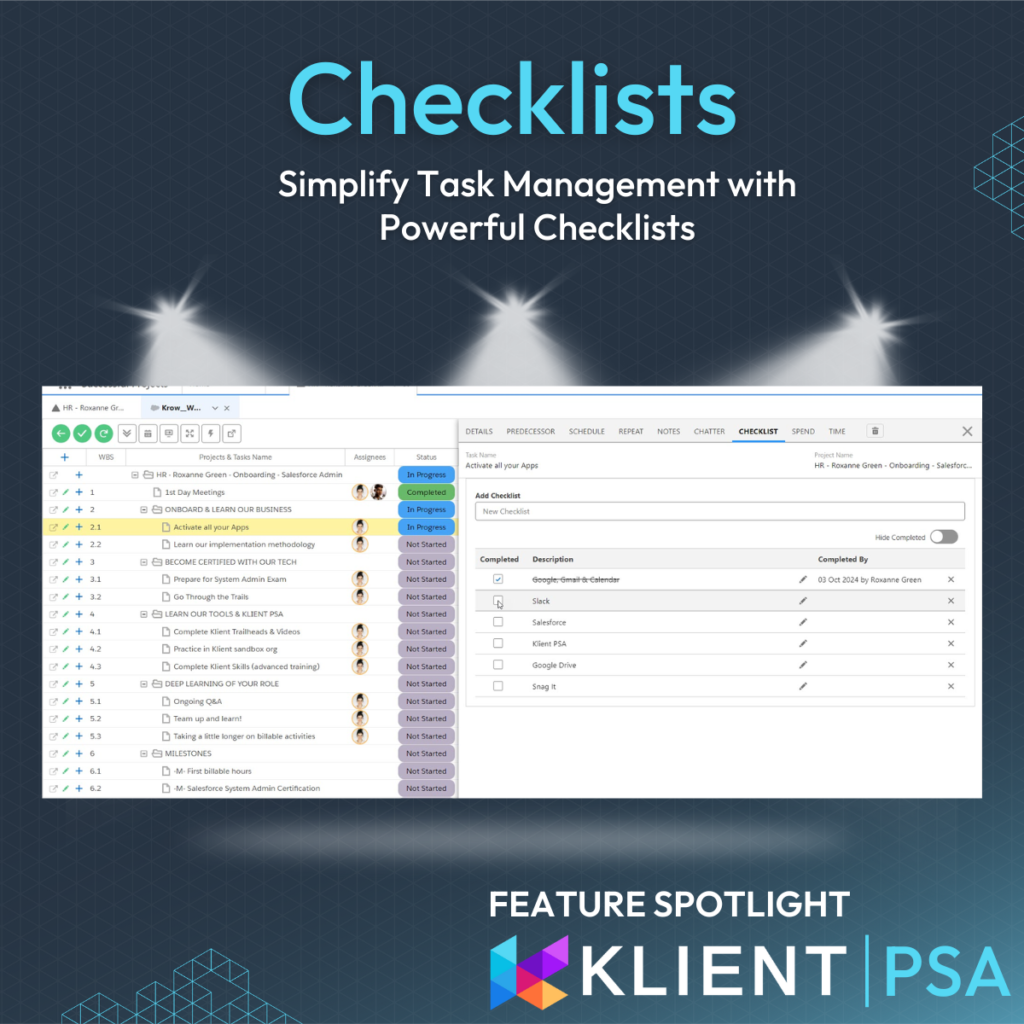
Whether you’re using the Task Side Panel from the Kanban, Project Workspace, Resource Planner, or placing the LWC Task Checklist component directly on your Klient Task page, accessing and managing checklists in Klient PSA is straightforward. This flexibility ensures your team always has a structured approach to task completion, giving you full control over your workflow.
An example in action:
Onboarding new employees is a critical process, and checklists help guide them through each step of their new role. By ensuring that everything from initial training to system access is covered, you create a secure, structured experience. This not only helps new hires feel more confident and supported but also accelerates their ramp-up time, leading to greater utilization and productivity faster.
Drag, Drop, Done: Reordering Simplified
Tired of rigid task lists? With our new Drag-and-Drop functionality, you can easily rearrange checklist items to suit your project’s needs. Keep things dynamic and intuitive—just drag, drop, and move on. Plus, more space in the expanded description column ensures you can see all the details without a hassle.
Focus on What Matters: Hide Completed Items & Track Progress
Keep your checklist clean by hiding completed items, so only the to-dos that need attention are visible. As checklist items are ticked off, task progress updates automatically, offering real-time insights for you and your team. No clutter, no confusion—just streamlined task tracking.
Automate Task Completion: Let Your Checklist Do the Heavy Lifting
When all checklist items are completed, Klient PSA automatically marks the task as Completed—no need for manual updates. Add something new after completion? The task will revert to In Progress until it’s done. This feature keeps task statuses accurate and your project workflow smooth.
SCREENSHOTS
RELATED INFORMATION
- Optimize your projects: when to use tasks, checklists and milestones (video)
- Klient tips for project managers #5: create checklists to manage fewer tasks
- September Product Update Webinar: checklist item reordering section (video)
- Checklist item reordering (release note)
- Task checklist – object (help article)
If you like our Feature Spotlight, you might be interested in our Klient Tips series:
View All Klient-Tips
Found this helpful?
Here are some similar articles in our serie Klient Feature Spotlight