Subscribe to the Klient newsletter to receive fresh tips in your inbox!
Klient Tips #33
FOR PROJECT MANAGERS
How To Make Your Orgs More Secure on Salesforce.
From January 12th to February 10th next year, the 🧙♂️ Wizards of the Obelisk Tower will be casting a spooky interdimensional spell making Multi-Factor Authentication (MFA) mandatory for all Salesforce users. This is a significant step towards making sure digital ghouls, trolls and zombies don’t harm or infect your orgs! The Curse of the Dark Hacker is real, so we made this tip to help you protect your teams properly.
As a natively built on Salesforce app and practitioners of the Mystical Digital Arts, we prepared this guide to help you avoid any MFA-related hiccups that could impact your seamless access to the Salesforce software framework. We strongly recommend setting up MFA before the implementation deadline 💀 to ensure a smooth transition.
Admins can turn up the magic by reviewing and keeping this spellbook handy, and casting these magical multidimensional protections 👇
How to prepare your team for Salesforce Multi-Factor Authentification update taking place in January-February 2024.
1. When Salesforce enables MFA, users who already have this enabled won’t experience any changes.
2. Users who weren’t previously logging in with MFA will be guided through the process to register. Users will be invited to connect to their accounts via the Salesforce Authentification mobile app.
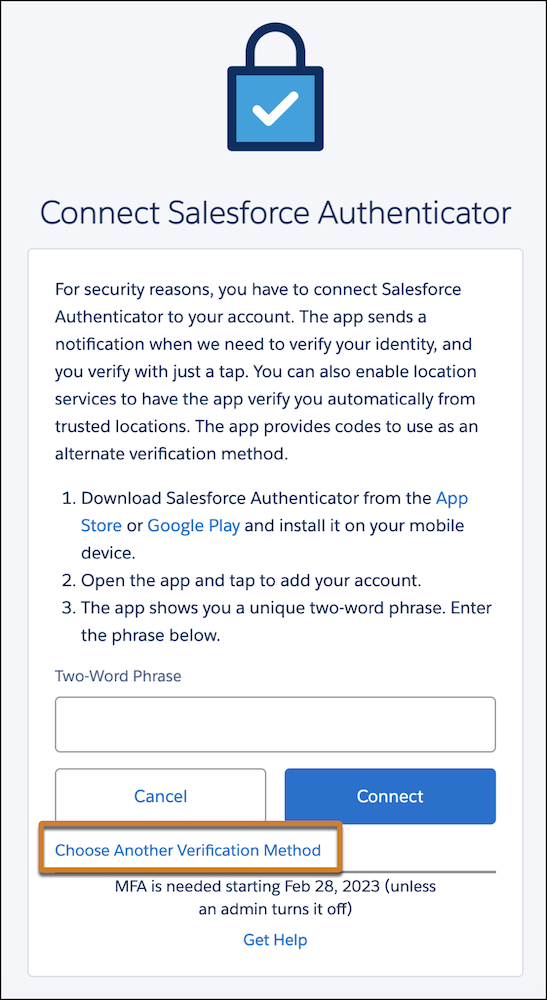
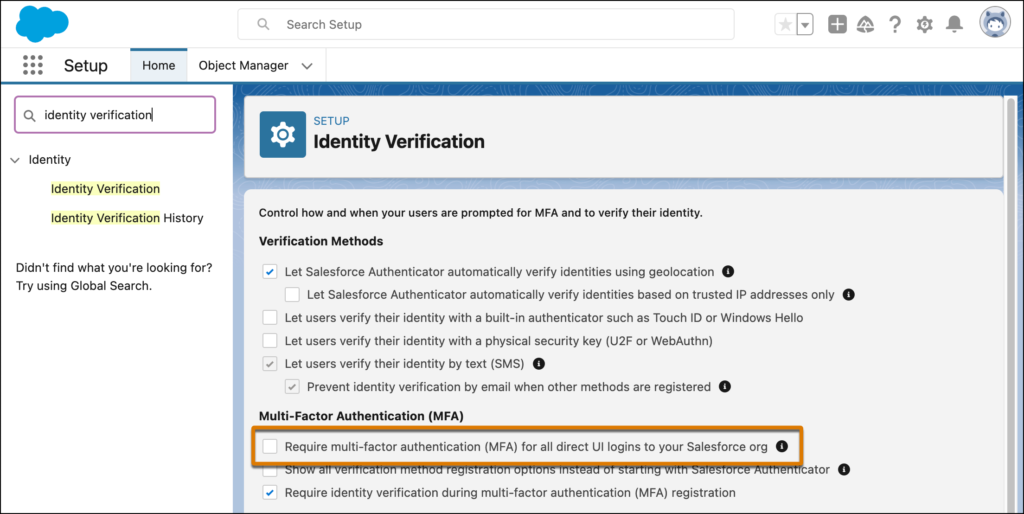
3. To manage at the org level, your Salesforce admin can enable MFA for all direct UI logins (see screenshot below). There will be a 30-day grace period where users can skip registration and log in without MFA.
If you need further supernatural assistance or would like Klient to perform the MFA upgrade on our PSA Platform, please let us know or book a meeting with us directly here.

You liked this Klient Tip? Share it with your team!
Discover more mindful tips
View All Klient-Tips
Replace all your tools with Klient, Salesforce #1 PSA platform
Run your entire SaaS and consulting business on a single professional service automation platform native to Salesforce!